What is a kick-off audit?
A kick-off audit is a focused test of a website for major accessibility weaknesses. It’s a quick check that examines 15 to 20 of the most critical WCAG criteria.
These include criteria such as 2.1.1 Keyboard operability, 4.1.2 Name, role, value, and 1.4.3 Text contrasts.
How were the criteria chosen?
The selection of WCAG criteria in our kick-off audit is based on a combination of 3 principles.
- Weight of the barrier
- The effort required to remove the barrier
- Conspicuousness of the error
1. Weight of the barrier
First and foremost, we want to address criteria that genuinely prevent users from using the website. Therefore, WCAG Level A criteria were almost exclusively chosen for the kick-off audit. WCAG Level A criteria are those that represent a significant obstacle. If the Level A criteria are not met, using the website is very difficult or even impossible. If I rely on navigating a website with the keyboard, but it’s not keyboard-compatible, I’m pretty much out of luck – hence: Level A!
2. Effort required to remove the barrier
Furthermore, our evaluation also considers how complex it is to resolve the criterion. For example, criterion 1.4.2, “Sound can be muted,” is not included in our kick-off audit, even though it’s an A-criterion. Why not? Because a) it’s extremely rare on websites these days, and b) it’s also very easy to fix.
The effort required to make the sound switchable is usually not so high that an agency would have to factor it into its pricing.
3. Conspicuousness of the error
Finally, the error’s conspicuousness also factors into the assessment. For example, we test the “text contrasts” in our kick-off audit, even though “text contrasts” are a double-A-level criterion. We do this because discussing changes to the contrasts with the client can be very time-consuming, and also because this error is highly noticeable.

Why is visibility important? You and I know that the Accessibility Strengthening Act has now come into force. And you and I also know that many websites are not yet accessible. And you and I also know that many companies don’t prioritize accessibility very highly. Most want to do the bare minimum first, hopefully to avoid a cease-and-desist letter, and then become fully accessible step by step.
To avoid a “warning” as much as possible, it’s also quite helpful to fix the most noticeable and well-known accessibility errors. These include, among other things, color contrasts.
Anyone who has dealt with digital accessibility a little probably knows how popular the topic of contrast is and how many people are aware of it and look for it.
Why is only a portion being tested?
If you are just starting a project focused on digital accessibility, then a full WCAG audit is not worthwhile.
Comprehensive audits often produce a very long list of detailed errors. This list is often demotivating for the team and complicates effort estimation. Furthermore, a full audit initially lists a large number of non-critical errors, many of which resolve themselves when the major issues are addressed.
As mentioned earlier, the kick-off audit includes tests to ensure all functions are accessible via the keyboard. If not, your website will be partially or completely unusable for some users. This is a critical error, and fixing it may take longer because it requires modifying the code.
In contrast, a problem like “The page title is not specified correctly” is unpleasant but not something that makes your page unusable or would require a lot of effort to fix.
Therefore, the kick-off audit initially focuses on the important and serious problems.
Who is the kick-off audit intended for?
A kick-off audit is primarily designed for agencies and freelance web designers who face the challenge of making a client’s existing website accessible.
This often raises the following questions:
- What is the current status of the website?
- What all needs to be adjusted?
- And approximately how much effort is required to make the website accessible?
And the kick-off audit is intended to answer these questions.

The focused test allows you to independently test criteria directly on the website and share and discuss the results with your team or client. This gives you a solid overview of a website’s accessibility status, enabling you to calculate costs and provide your client with a clear estimate of upcoming efforts and tasks.
When should I conduct a kick-off audit?
The best time to start is, as the name suggests, at the kick-off meeting. This type of audit is particularly useful at the beginning of a project. The results will help you estimate the necessary effort and identify what needs to be done to overcome the biggest obstacles.
And how exactly do I conduct a kick-off audit?
The best way is with our Accessibility Center (German)! Our tool is designed to make testing as pleasant as possible for you.
1. Texts and videos that everyone can understand

In typical brain-friendly style: simple texts, explanatory images! We’re also working on videos to show you directly how we test it on live websites!
2. Direct tests on the live website

Test for errors directly and interactively on your website. You can examine the code directly, mark errors at the affected locations, and leave comments.
3. Easy collaboration

Share your results, tag your teammates, and create tasks directly from the bugs you found. Everything you need for effective collaboration!
4. All-in-one solution
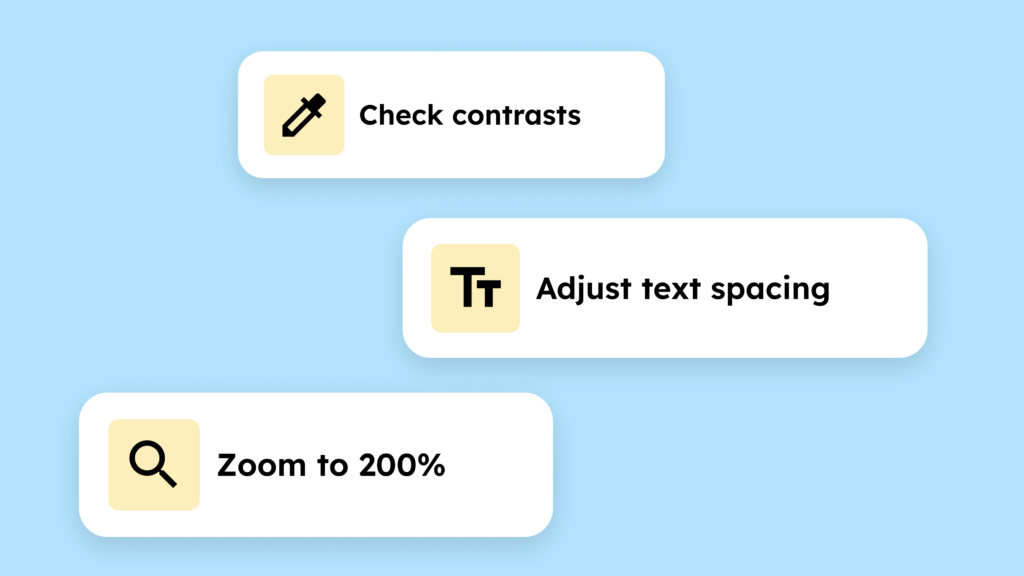
There’s no need to install many other plugins, bookmarklets, or automated testing tools. Everything is integrated with us!
5. Detailed test report

At the end of the audit, you will receive a detailed report on the errors found. This will allow you to convince your client of the necessity of the upcoming changes.
The agency plan also includes pre-defined problem and solution proposals, saving you considerable time and eliminating unanswered questions. And it features a knowledge hub containing all the information you need for barrier-free implementation.
Go to the Accessibility Center (German)!