
The fact is: the internet allows us to access a multitude of services, offers, and important information – all with just a few clicks. However, for some users, the challenges on the web are enormous: they face barriers that others never even encounter.
This is where digital accessibility comes into play. It’s not just the linchpin for people with disabilities in digital participation. Older people and users with temporary or situational limitations also need barrier-free access to websites, online shops, and information available only online.
What is digital accessibility?
Digital accessibility means that all people, regardless of their physical or mental abilities, have equal access to digital resources. It’s about making the internet accessible and usable for everyone. According to The House of Commons Library, around 16.8 million people with severe disabilities lived in the United Kingdom as of 2024.

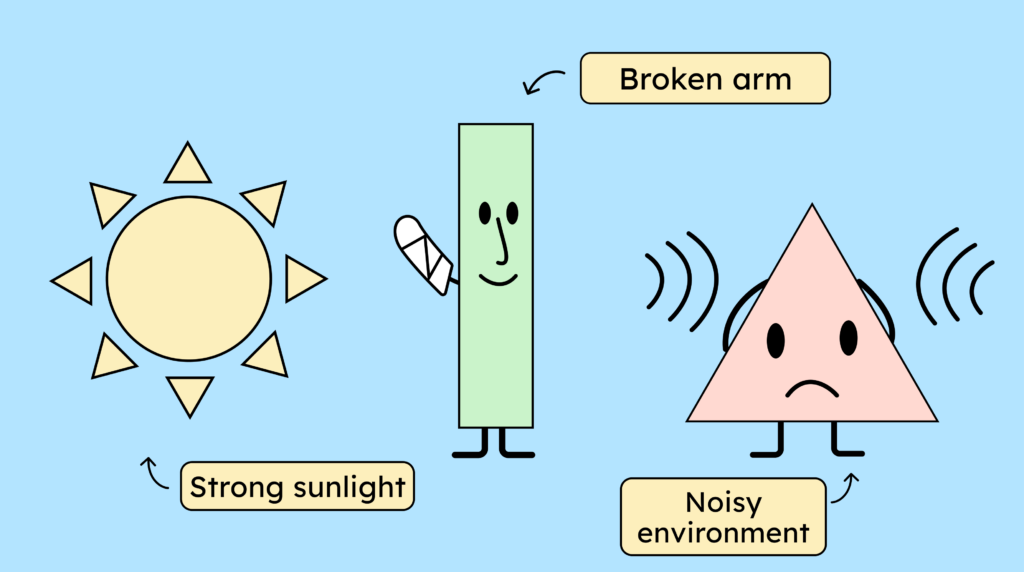
However, there are also situational impairments, such as a noisy environment, that make subtitles very useful for hearing people as well. And there are temporary limitations, such as a broken arm or cataracts. Even in these situations, certain digital accessibility criteria, such as keyboard navigation and good contrast, suddenly become very helpful for everyone!
Why is digital accessibility important?
It is therefore important that digital content, such as websites, software, apps, or documents (accessible PDFs, accessible forms), is accessible to all people without barriers, regardless of physical or mental impairments.
For people with disabilities, digital accessibility means:
- A better quality of life
- Social participation, which is perhaps only or mostly possible digitally
- A “normal” life, which is taken for granted by people without disabilities.
Digital accessibility is not only a matter of social justice, but also a legal and economic imperative. Under the Accessibility Strengthening Act, which comes into force on June 28, 2025, the private sector will be obligated to provide an accessible website or online shop.
But what does it actually mean to have an accessible website?
Standards and guidelines for digital accessibility
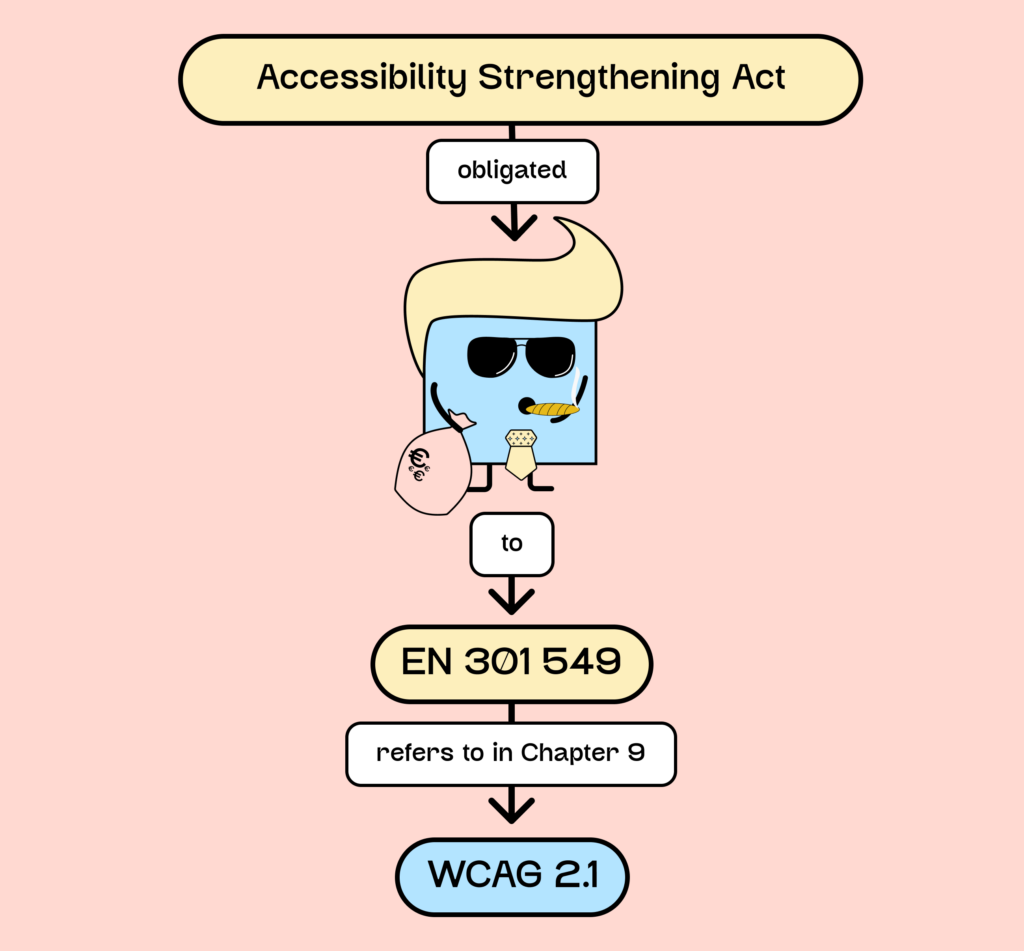
The Accessibility Strengthening Act (BFSG) obliges the private sector to implement EN 301 549, which refers to WCAG (2.1).
Websites and online shops generally only need to implement the WCAG guidelines (from Chapter 9 of the EN standard). Those developing more complex software or web apps must also comply with further requirements of the standard. In the following article, we have summarized everything about the law and the EN standard for you: EN 301 549 and the relevant law.
When implementing digital accessibility, the WCAG criteria are therefore the most relevant for you. You can find a comprehensive overview of the WCAG requirements and illustrative examples on our WCAG criteria page. The guidelines contain detailed instructions and criteria to ensure internet accessibility for everyone, regardless of their abilities or limitations.
The WCAG guidelines consist of three levels of conformance: A (lowest), AA (medium), and AAA (highest). These cover a wide range of requirements, from image descriptions (alt text) and transcripts to keyboard accessibility. For the private sector, only levels A and AA are relevant.

Accessible Internet: What characterizes an accessible website?
Websites should be designed to be accessible to all people, regardless of physical or cognitive abilities.
This includes, among other things:
- Ensuring that the website is zoomable to 200%
- Maintaining the correct contrast ratios
- The provision of subtitles or alternative text for audiovisual content
- Ensuring that all website functions are accessible via the keyboard
- And so forth!
By adhering to the accessibility standards and guidelines set out in the Web Content Accessibility Guidelines (WCAG 2.1), you, as a website operator, can ensure that your content is accessible to everyone.
Although WCAG 2.1 is currently legally binding, we strongly recommend adhering to WCAG 2.2 directly. The law stipulates, among other things, that one should follow the “latest state of the art” to ensure digital accessibility. This would be WCAG 2.2. Furthermore, the European standard is currently being updated and is expected to reflect WCAG 2.2 by early 2026 at the latest. All our content, including our WCAG criteria page, is already based on version 2.2.
Various types of disabilities can make accessing digital content difficult. Each requires specific solutions and technologies to provide support.
Generally speaking, one can speak of three types of restrictions:
- Sensory and physical disabilities
- Perceiving and processing information
- Limited abilities (lack of technical knowledge, illiteracy, etc.)
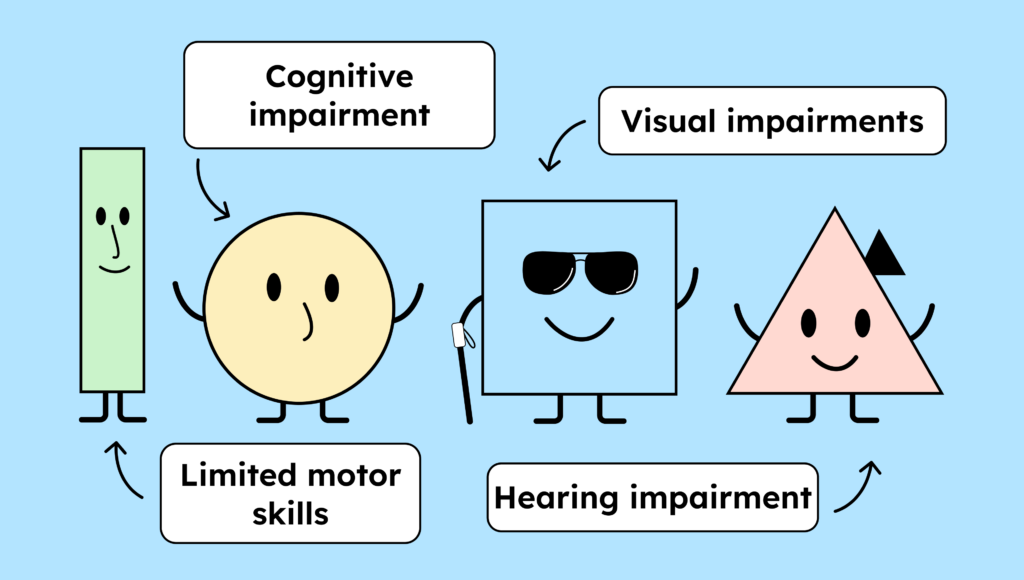
Digital barriers for people with visual impairments and blindness
People with visual impairments can have difficulty understanding visual content. High-contrast colors, an accessible font, and the ability to zoom into the website without obscuring content help people with visual impairments better understand web content.
Blind people, of course, cannot see the visual content of your website. They need a screen reader that reads the screen content aloud or displays it in Braille. For this to work reliably, the website needs, among other things:
- A clean HTML structure
- The correct ARIA attributes for the Accessibility Tree
- Alternative text for images
- Audio descriptions for videos
- Accessible icons
- Barrier-free paints
- And much more
Barriers for people with hearing impairment or deafness
People with hearing impairments have difficulty understanding audio and video, especially speech. These users benefit from subtitles and transcripts for audio and video content. Sign language in videos or live streams can also be helpful for this group.
Users who are deaf cannot perceive purely auditory information from audio alone or from audio and video. Unfortunately, technical aids are not yet suitable for everyday use, so sign language and subtitles are the preferred methods for implementing digital accessibility for deaf people.
Obstacles for people with motor impairments
People with this type of disability often have limited or no use of their arms and hands. This makes it difficult for them, for example; to press small buttons or type long texts. These users require a special mouse and keyboard, as well as eye and voice control.
Unfortunately, many links and buttons can only be accessed with a mouse, making it difficult or even impossible for users to reach the desired page. For users with motor impairments, website navigation should be possible without using a mouse. Options for adjusting mouse speed and speech input software can also be helpful.
Barriers for users with cognitive impairments
A large group of users affected by this are people with learning disabilities. For example, they may find it difficult or impossible to use complex websites because they cannot grasp the underlying information architecture. They also often do not understand texts written in everyday language.
Plain language is helpful here. Therefore, you should ideally use clear, simple sentences on your website. You can support complex information with infographics or other visual aids to make it easier to understand.
Another group of people affected by disorders and seizures includes, for example, autistic individuals. Some of these users are unable to filter strong stimuli, or can only do so with great difficulty. People with epilepsy or migraines can also experience seizures due to strong visual stimuli. What helps them is blocking animations. However, this can render the website unusable, so the use of flickering or fast animations are not advisable.
The solutions mentioned are just a few examples of how to ensure digital accessibility. Keep in mind that everyone has unique needs, and a solution that works for one person may not necessarily work for another. Therefore, continuously testing and adapting your website, software, or applications is crucial to ensuring that all users have equal access to digital content.
Advantages of accessible websites
As you may have already noticed, there are several things to consider to make your website accessible. This naturally costs money and time. So why should your company decide to make its website accessible?
Of course, the law exists, but even beyond the law, there can be several advantages to choosing digital accessibility.
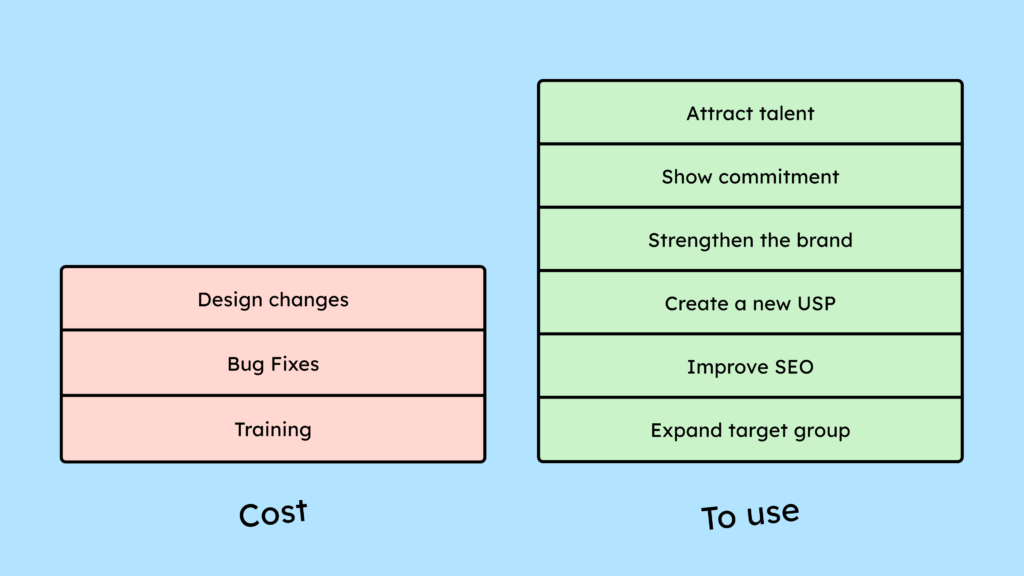
An accessible website will expand your target audience.
Accessible websites are accessible to everyone, regardless of individual abilities or disabilities. This allows them to reach a wider audience and improve the user experience for all. As an online shop owner, for example, you benefit from a larger customer base, but the simpler, improved user experience benefits all users.
You score well on Google and have advantages in search engine optimization.
Accessible websites are well-structured and use semantic HTML. This improves their discoverability by search engines and can lead to a higher ranking. It also increases the time visitors spend on your website, which in turn can lead to higher conversions. In a 2023 study by Accessibilitychecker.org and Semrush, 66.1% of domains increased their monthly organic traffic by up to 50% after making their websites more accessible.
You strengthen your image and demonstrate social responsibility.
Companies that prioritize accessibility demonstrate social responsibility and improve their public image. An inclusive website can strengthen user trust and increase your brand value. It also makes you more attractive to future employees.
Internet accessibility is an important step towards digital inclusion. Accessible websites contribute to equal opportunities in our society and enable all users to access information and services.
We have summarized additional advantages for you in the following article: “Advantages of digital accessibility.“
How do you find out about the digital accessibility of your website?
You can use a variety of tools and methods to check your website’s accessibility. These include automated tools like WAVE or Accessibility Insights, as well as our own tool, the Accessibility Center (English available upon request), which helps you quickly find the most common issues.

However, if you really want to know what barriers your website has, you won’t be able to avoid manually testing it. There’s no automated tool yet (AI or otherwise) that can find all accessibility issues on a website. We’re actually still quite a way from that. Currently, automated tests find only around 40% of errors.
Therefore, you need to test the website for accessibility yourself. This can be quite time-consuming and expensive. An external digital accessibility test typically costs around €5,000 to €8,000. That sounds like a lot at first, but anyone who has ever gone through five pages of a website per all the WCAG 2.2 test steps knows there’s not much profit margin for testers in such a test!
If you want to test on your own, you need to understand each test step and, among other things, know how to read HTML and use a screen reader.
With our Accessibility Center, we aim to make independent, manual testing as easy as possible. We provide a predefined process, text and video tutorials, learning materials, and even a pre-made list of problems and suggested solutions, so you don’t have to start from scratch with every question during testing!
We have compiled detailed instructions for you on how to test your website for accessibility: How can I test my website for accessibility?
If you want to keep your website accessible in the long term, manual testing is one of the most valuable things you or your team can learn.
Legal aspects of digital accessibility
The Accessibility Strengthening Act stipulates that all sellers of products must make their digital business transactions (e-commerce) accessible from June 28, 2025. This includes not only online shops, but also websites that offer appointment booking options (hairdressers, restaurants, etc.). Finally, you must also provide information about accessibility on your website and offer all identification methods, authentication methods, electronic signatures, and payment services in an accessible manner.
There is an exception for providers of (digital) services with fewer than 10 employees or generating less than 2 million euros in revenue.
The future of digital accessibility
Technological advances continually offer new opportunities to improve digital accessibility. For example, artificial intelligence and machine learning enable the development of tools and applications tailored to the needs of people with various disabilities. These technological advances have the potential to reduce the digital divide and create an inclusive digital world.
What role does artificial intelligence play in digital accessibility?
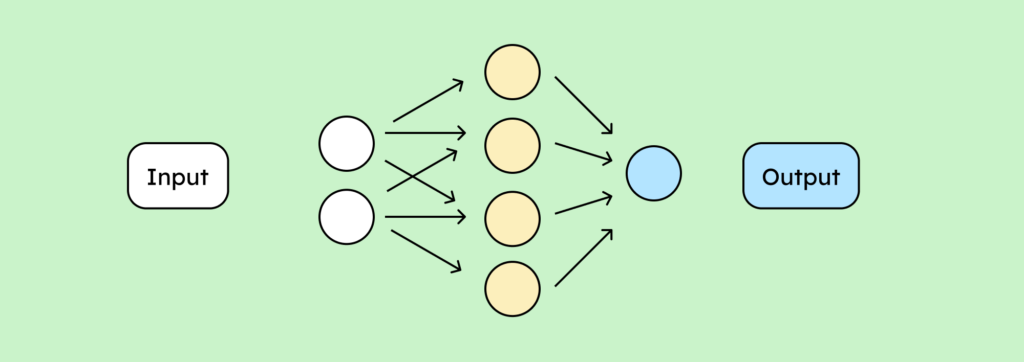
Artificial intelligence (AI) can help improve digital accessibility by, for example, automatically converting text to speech for people with visual impairments or sign language to text for people who are deaf or hard of hearing. AI can also help create accessible designs by analyzing user interactions and suggesting appropriate adjustments.
AI can also be very useful for testing in the future. However, the same principle applies here: what humans cannot recognize or interpret, AI cannot either. Therefore, providing essential information is crucial so that tools can interpret it correctly.
Conclusion on digital accessibility
Digital accessibility is essential for creating an inclusive society. Under the Accessibility Strengthening Act, which came into force in June 2025, many companies are required to address this issue in depth.
