
As soon as you start thinking about digital accessibility, you will encounter the following statement: “Shift Left“. This statement is often accompanied by a variation of the following graphic:

The graphic shows how a development process unfolds:
- Planning
- Design
- Development
- Testing
- Release
“Shift Left” expresses the idea of integrating digital accessibility as far left as possible, or, more precisely, as early as possible in the process. The long-standing digital accessibility experts at Deque demonstrate in a case study that 67% of digital accessibility problems can be avoided as early as the design phase. (Link to the presentation of the Deque study results)

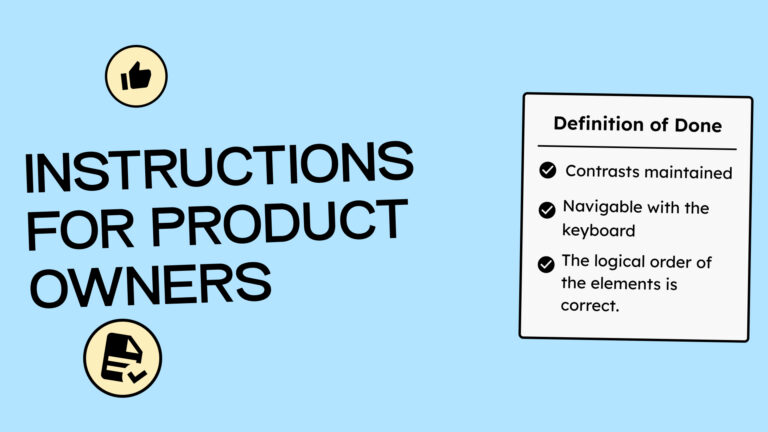
In most agile software companies, planning takes the form of product owner-created stories and tasks. These stories and tasks have a Definition of Done (DoD). This is a list of criteria that clarifies what needs to be completed for the task to be considered finished. Including digital accessibility requirements in this list is, of course, quite smart. This ensures that the topic is never overlooked.
How do you integrate digital accessibility into your Definition of Done?
You probably already know this, but I still want to emphasize it: Accuracy in the Definition of Done leads to better results.
It is unlikely to get good results if you simply write:
” The homepage design must meet contrast requirements .”
It would be better if you phrased it something like this:
“All colors must meet the minimum contrast requirement according to WCAG 2.2 Level AA. Text smaller than 24 pixels requires a minimum contrast of 4.5:1 to the background. Text larger than 24 pixels requires a contrast ratio of 3:1. Control elements must have a minimum contrast ratio of 3:1 against the background. “
Formulating the last statement requires a bit more knowledge of WCAG standards, but it will save you a lot of discussion and redesign afterwards.
This begs the question: How the hell do I figure out what’s important, and how do I incorporate that into my Definition of Done?
Good question! Don’t worry, you can pay us for that. <3
However, if you find us unpleasant and don’t want to talk to us, we understand. I will tell my therapist about it, but because I’m a nice person, I’ll still give you a few tips on what you can do without us.
1. The minimum requirements for your DoD
Let’s assume you’re just starting with digital accessibility. You don’t know much about WCAG yet, but still want to find errors. Then your Definition of Done (DoD) should include at least the following criteria to test your tasks or stories:
- Validate HTML
- Run automated tests
- Perform manual tests
- Testing with assistive technologies
This, of course, only applies to development tasks, but it is at least a sure way to find the problems there, at the latest.

I explain this in more detail in the following article. See the article “How to test digital accessibility”.
2. Know your standards
After laying the foundation, you can treat yourself to an ice cream as a reward!
Okay, let’s get to work now on refining your DoD a bit.
It makes a huge difference which standards apply to you. Do you have to comply with the Web Accessibility Directive (WAD) or the European Accessibility Act (EAA)? Depending on which one is relevant to you, different criteria apply, which in turn lead to different requirements for your Definition of Done.
I recommend creating a DoD set for the WCAG 2.2 AA criteria, which you can then adapt to the requirements of the WAD or the EAA. I will explain how to create this set below.
3. Raise your standards
While legal guidelines are important, they don’t have to be the end of your requirements. Besides simply following WCAG, user testing can also play a crucial role in digital accessibility.
Perhaps you frequently work with older demographics and discover that accessibility requirements arise that aren’t covered by WCAG. Or perhaps your company has a broader understanding of inclusion and wants to incorporate additional criteria. For example, your Design of Dose for designers might require that each page features a diverse mix of people in its images.
If you’re just starting, postpone expanding the standards and first focus on ensuring legal compliance.
Your Definition of Done based on the WCAG criteria
Finally, the practical part! Open the following page for an overview of all WCAG criteria: WCAG criteria overview.

Then you should find a story to test it out on. Let’s take the following as an example:
“As a user, I want to find information on the website so that I can quickly get help if I have questions.”
Story, check! Now let’s consider which WCAG criteria apply to this story:
For developers:
- 2.1.1 Keyboard accessibility
- 1.4.10 No horizontal scrollbar appears when zooming in on text
- 1.4.4 I can enlarge text up to 200%
- 3.2.6 Help can always be found in the same place.
For Designers:
- 1.4.11 Sufficient Contrast of Controls
- 14.3 Sufficient Contrast of Text
- 2.4.7 Controls have a focus frame
- 3.2.6 Help can always be found in the same place.
As you can see, there can be quite a few. Many of them, such as “sufficient contrast,” will come up in almost every design task. It’s helpful to create a set of standard checks that must be done. Then you can write something like this in your Design of DoD: “The standard accessibility checks for the design have been completed.”
At the beginning, I would advise you to review the WCAG and write down the requirements exactly as they are presented. This will give you and your team a deeper understanding.
Which brings me to my next point: WCAG itself has defined techniques for meeting a criterion.
We’ll use criterion 2.4.1 Bypass Blocks as an example. Here’s the link to 2.4.1: [Link to criterion 2.4.1].
The criterion states: “There is a mechanism to bypass content blocks that are repeated on multiple websites.”
The following screenshot shows that expanding the criterion reveals techniques you and your team can use to meet it.

For your Definition of Done, you can choose one of the techniques and include it. For example: “Criteria 2.4.1 is fulfilled and therefore done if there is a skip-to-content link on every page (see technique G1, link here).”
It’s important to understand that there’s a difference between WCAG compliance and good usability. A skip-to-content link alone might be enough to meet WCAG requirements, but it might not be enough to meet your usability standards. Therefore, it’s crucial that you truly understand WCAG over time and can integrate it with your other DoD requirements.
Conclusion
To write a good Definition of Done for digital accessibility, you should first know the standards you need or want to meet.
The next step is to implement testing to find errors.
Ultimately, it’s important to delve deeper into the WCAG. This will allow you to refine your Definition of Done and use the shift-left approach to find errors before they occur!
