What is alt text?
Alt text is an alternative text description for an image. It allows people who cannot see images to perceive them. Unlike images, text can be reliably read by any software. A screen reader can, for example, read the alt text aloud or transmit it to a Braille display, allowing the text to be felt. At the same time, alt text also contributes to digital accessibility and improves search engine optimization (SEO) by making images indexable by search engines.
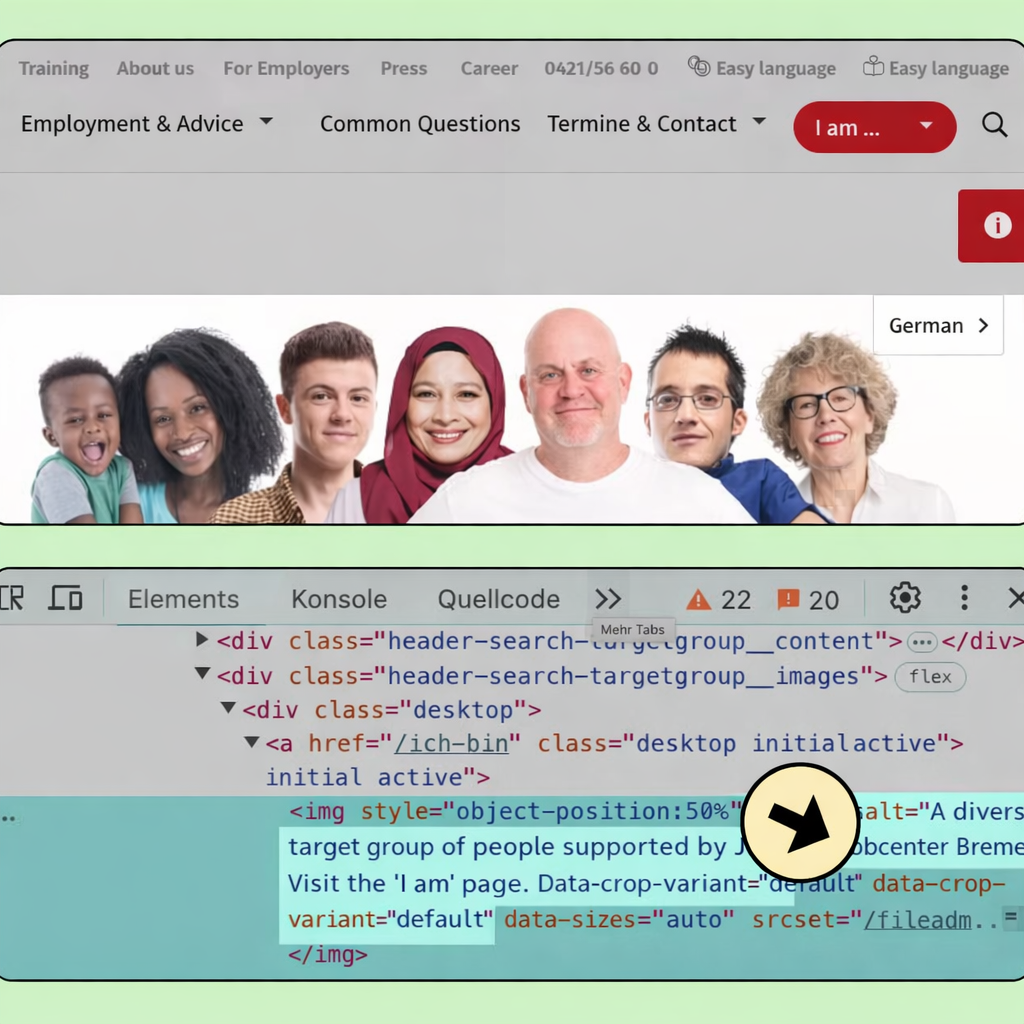
Best practices for your alt text: What you can and what you should avoid.
This belongs in alt text: the core message of your image.
The core message of your image is the answer to the question: “What do you want to say with this image?” This answer is something that people who select images for a specific use case are particularly likely to have readily available.
The structure of an alt text
An alt text should be no longer than one or two sentences. This doesn’t offer much space, but that’s intentional, as it allows the alt text to focus on the essentials. In summary:
- Length: 1 to 2 sentences
- Content: Key message of the image
- Taboos: Emojis, links, and quotation marks.
Why does my alt text have to be so short?
Besides focusing on the essentials, there is another very good reason why alt text should be kept concise:
Alt text is unformatted. Therefore, it’s impossible to navigate, jump, or search within alt text. The longer your alt text is, the more tiring it becomes to listen to.
Imagine you write 20 sentences, but there’s only one important piece of information at the very end of the alt text. I’d have to listen to all 20 sentences every time because I can’t skip to the end. That’s annoying, so let’s keep it brief. If you have that much to say about the image, it belongs in the accompanying text.
Why no emojis, links, or quotation marks?
Because alt text is unformatted, it cannot contain ” rich content .” This is developer slang for anything that isn’t plain text. Emojis and links are not pure text, and therefore, the content wouldn’t be displayed as intended.
Be careful with quotation marks, too, because the alt text is enclosed in quotation marks in the code to mark the beginning and end of the text. If you use quotation marks within the text itself, you might accidentally close the alt text. This would cause part of your alt text to be lost, and in the worst case, your information might not be displayed at all.
The difference between alt text and image description
An image description supplements the image with information that isn’t necessarily apparent from the image itself. For example, where a photo was taken. Alt text is the alternative to the image description. The image description provides additional information; the alt text is the replacement.
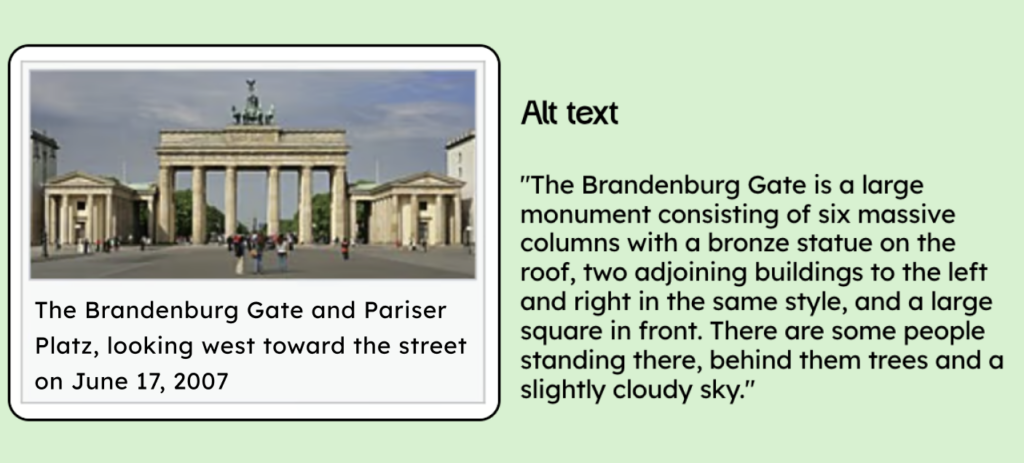
In our example, we see a photo of the Brandenburg Gate. Below it is the image description: “The Brandenburg Gate and Pariser Platz, looking west toward the street on June 17, 2007” While the image description reveals details not immediately apparent in the image itself, the alt text would only describe the photo.
Keyword stuffing
Keyword stuffing means cramming the alt text full of SEO-relevant content. However, alt text is meant for people, not search engines. To put it bluntly, if you fill the alt text with unrelated keywords, it’s not accessible, let alone user-friendly. A good alt text is relevant enough for search engines even without stuffing.
An example:

Poor alt text (due to keyword stuffing): dogs, puppies, Australian Shepherd, cuddly
Acceptable alt text: Seven puppies
Better alt text: Seven sleepy, fluffy puppies
Good old text: Seven fluffy Australian Shepherd puppies are lying and sitting on two steps in front of an open door. They look cuddly and sleepy.
All texts have alt text!
Accessibility is teamwork! Thinking about alt text isn’t a task that should fall to just one person. However, it’s much easier to write alt text if you know the image’s purpose, ideally if you chose the image yourself. So, if you select an image, provide the alt text as well. If you receive images from others, tell them you need alt text.
Don’t forget this, because I can tell you from experience that writing alt text takes a lot of time. If you think the alt text isn’t appropriate, feel free to let the person who wrote it know. We all have to learn how to write alt text.
The alt text reveals nothing that isn’t already clear.
The alt text may only contain what is evident from the image or what can be deduced from the text by the readers of the article.
Imagine you’re writing an article about successful women and you include a picture of Angela Merkel. In that case, you can only state in the alt text that it’s Angela Merkel if this information is clear from your text. Otherwise, you’re giving some of your readers more information than others.
In the alt text, only include information that everyone reading your content already knows. If you want to mention people by name in the alt text, simply include that information in the text itself. You and I learned in school that you should refer to the images you use. Our teachers were right, as always: If you follow their best practices, you’ll make your life much easier.
How do I specify alt text?
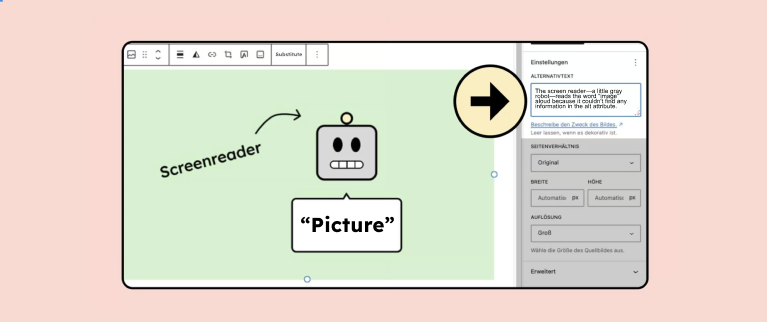
You can add alt text by adding the alt attribute directly to an image’s HTML code. If you’re working with a CMS (Content Management System) like WordPress, it’s a bit easier. Here, you don’t need to work directly in the HTML code. Instead, there’s a special field, often called “alt text,” where you can simply enter the image description.
Different types of images
There are broadly four different types of images:
- Informative image: I learned more after seeing it.
- Functional image: I am supposed to do something.
- Complex image: I know so much more after seeing the image, and that cannot be described in 1 or 2 sentences.
- Decorative image: I lose nothing if I don’t see the image.
Everything you need to know about creating accessible content!
- What types of content actually need to be accessible: social media, websites, newsletters?
- What requirements apply to content, and how do you implement them—without missing anything?
- How do you integrate accessibility into your daily workflow without it becoming a major extra burden?
Through theory and practice, we’ll show you what we’ve taught participants—from Aktion Mensch to Deutsche Bahn—over the past three years!

Alt text for informative images
Most images are informative. Informative images provide knowledge I wouldn’t have otherwise. This can be factual information, but emotions also fall under this category. Images that support branding are informative, not decorative.
Example informative image
The following image shows a young girl with blonde hair, intently playing with colorful building blocks. She is wearing a pink top and blue overalls. The girl is sitting at a table with various colored blocks scattered across it. She is assembling a train out of the blocks. Her expression is serious and focused as she places a red block on the last car of the train. In the background, other toys and parts of the surroundings are visible. The scene appears bright and colorful.

A very detailed image description, and therefore unsuitable for alt text. We wanted to keep it brief. We can only determine exactly what is important about the image once we know the context in which it is embedded.
Scenario 1: Online shop for Tobilino building blocks
We’re in an online shop, and we want to sell our Tobilino building blocks. Our main message is: “You should buy my blocks; children love them, they’re colorful, and playing with them is extremely captivating.” The background, what the girl is wearing, and other details are unimportant. That’s why we don’t mention them.
Possible alt text: “A girl intently builds a train with two carriages and a locomotive at the front using colorful Tobilino building blocks. The Tobilino building blocks can be combined as desired.”
The name Tobilino is fine in this context, as the product name is clear from the product page itself.
Scenario 2: Digital photo album of a daycare center
We’re creating a digital photo album for our daycare center to attract more parents. The children aren’t introduced on the same page, so you don’t know the girl in the picture. What we want to convey with this image is that the daycare center provides targeted support for the children.
Possible alt text: “A child plays intently with the building blocks of the daycare center. Through age-appropriate support, we pedagogically teach children the basic motor skills.”
Alt text for functional images
Functional images should motivate me to act. This includes, for example, social media icons on a website. The icons shouldn’t be described; instead, tell me what to do. “The LinkedIn logo” would be incorrect. A better option would be: “Follow Nina on LinkedIn.”

Alt text for complex images
Complex images are particularly informative and cannot be described in one or two sentences. Diagrams are an example of this.
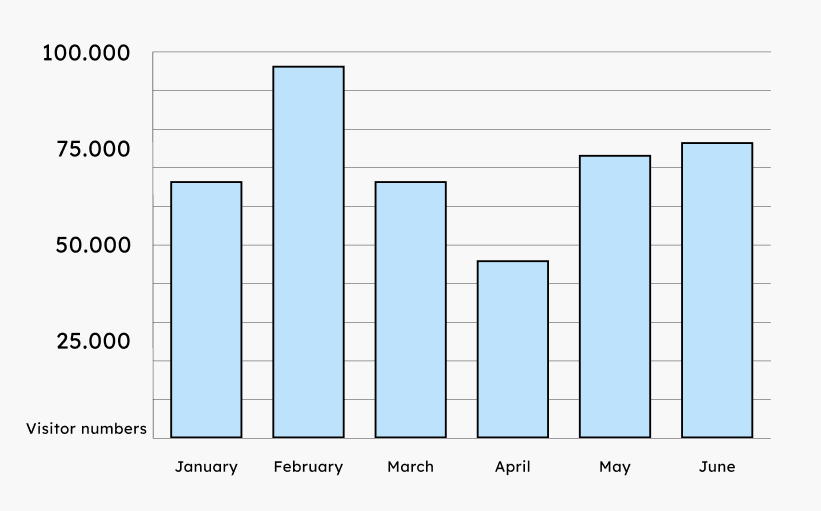
In this case, the alt text describes what the graphic shows. For example: “Bar chart; visitor numbers from January to June.” You need to explain the details of the graphic elsewhere. This can be on the page where you insert the chart. Alternatively, you can explain elsewhere, linking to the detailed description of the graphic nearby.
Decorative images do not need alt text.
Decorative images are not information carriers. I lose nothing if I don’t have the image. I can tell you: very few images are decorative; most are informative. An example of a decorative image would be a dividing line in the image format.

It’s like dating: if you have to think about whether it’s decorative, it probably isn’t. Play it safe and write alt text.
Isn’t it annoying to receive many informative images with little content?
Many people ask this question, mainly regarding websites and background images that enhance the layout. Do you need an alternative to an image alt text that shows a person sitting at a laptop, enjoying their work? Isn’t that rather distracting?
That’s a valid question; some users might not be interested in your images. However, you should allow them to decide for themselves whether or not they want to listen to the alt text. Visually impaired people can skip the images just like everyone else. So you don’t need to worry about spamming them. Just as you can visually skip over images that don’t interest you, a blind person can do the same.
Text in image
Text embedded in images that is meant to be read is generally not acceptable – unless there is an equivalent alternative in text form. The Web Content Accessibility Guidelines (WCAG) contain a few exceptions to this. (Here is an overview of the relevant WCAG criteria.) This is acceptable, for example, for documentation purposes, in cases of redundancy, or when the object itself contains text, such as a photo of a book cover—more information on WCAG criterion 1.4.5.
Alt text for LinkedIn, Facebook, Instagram, and other social media platforms.
The same requirements apply here as with other images. With one exception: there are no purely decorative images on social media (German), because for that to be the case, the platform would have to allow you to mark images as decorative. Therefore, you should always write alt text.
The automatically generated alt text from all platforms should always be checked. As of today, I’m sure you’ll achieve a better result in most cases. Of course, you can use the suggestion as a starting point.
In this article, you will learn how to set accessible alt text on Facebook and Instagram (German)!
Phew, I don’t know how to describe this picture meaningfully.
Alt text is a great way to re-evaluate your image. Perhaps the image simply doesn’t make sense in this context? Then you can take on the challenge and either find a better image or revise your graphic to clarify its message.
Our explanatory video about alt text
And finally, a little bonus: Here’s our new explainer video (as of May 2025) on alt text. It summarizes everything cutely and engagingly! There’s also a version of the video with audio description (German).