
What does accessible web design mean?
Vulnerability is a major topic in our company right now. Therefore, let’s all be honest and open with each other: accessible web design is Googled because people don’t know what else to Google.
I believe the question that this actually aims to answer is: What exactly is an accessible website, and how do I create one?
That’s why I’m being so bold as to answer this question here simply! The answer is quite simple: An accessible website is one that everyone can understand and use – regardless of their physical or mental abilities.
Now that we’ve clarified that, we come to the more exciting part of the question: When is a website accessible, and how do I create one?
When is a website accessible?
To be even more honest, there is probably no website that is truly 100% accessible. No website can meet the needs of every single person in the world.
To find an answer to this question, bright minds regularly come together. Together, they develop the Web Content Accessibility Guidelines (WCAG). The WCAG defines criteria that must be met for a website to be considered accessible.
The WCAG guidelines are not yet law. However, legislators reference the WCAG in their legislation, which is why they are highly relevant. Your website is considered accessible (also according to law) if it meets the relevant WCAG criteria.
The WCAG standard isn’t quite so simple either, as it’s divided into three levels: A, AA, and AAA. Each A-level brings more accessibility requirements. So, strictly speaking, you’re not simply accessible, but rather “accessible according to WCAG Level A (AA or AAA). “
AAA is the gold standard for digital accessibility. This level requires, for example, that audio tracks be provided in sign language. Learn more about the criteria regarding audio tracks in sign language.
Requirements of this kind are not easy for some companies to implement. This is one reason why the Accessibility Strengthening Act, and thus DIN EN 301 549, mandates WCAG AA compliance. (More on the legislation below.)
What exactly do the WCAG criteria contain, and how do they make a website accessible?
The WCAG criteria aren’t simply made up out of thin air – unlike the jokes in my articles. Each criterion, if not met, creates problems for people with disabilities and prevents or hinders their understanding or use of a website. Anyone wanting to delve into the details can find more information on the WCAG website: WCAG article on understanding conformance.
An example of a criterion (not a direct quote): For all non-text content presented to users, there is a text alternative that serves the same purpose.
Put more simply, this criterion requires (among other things) that all your images that convey meaning have alt text or alternative text that describes the image.
Here are a few more things a website must meet according to WCAG to be considered accessible. Your website must:
- Be operable with assistive technologies (for example, screen readers)
- Have the right color contrasts
- Work without a mouse
- Offer alternative navigation paths
- And much more
We have also compiled an easy-to-digest overview of the WCAG criteria to give you an easier introduction to the topic: The WCAG criteria.

What types of assistive technologies are there?
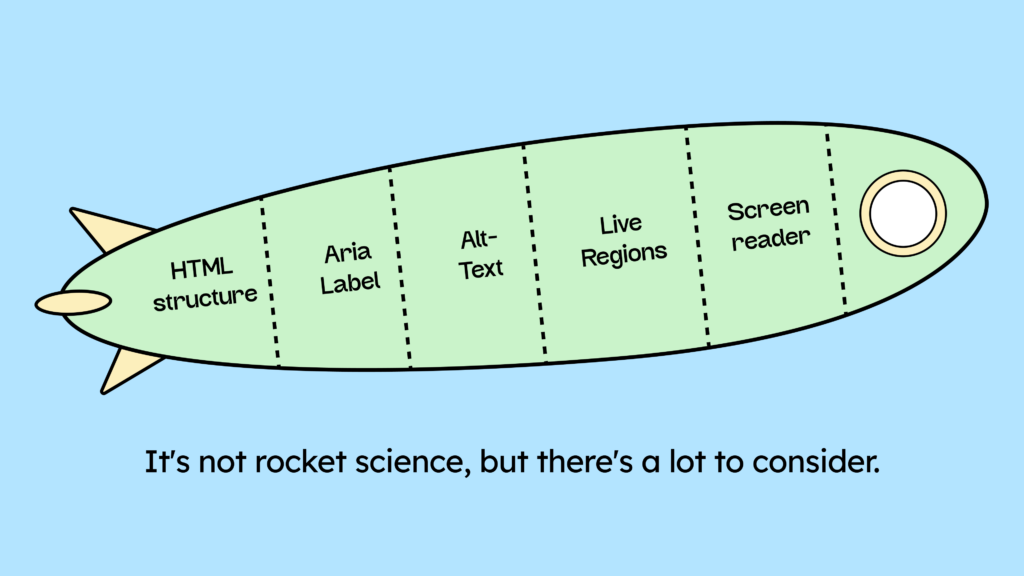
Making a website accessible also means ensuring it can be used with assistive technologies. To achieve this, you have to start at the code level and set up the HTML correctly. This is also why the controversial overlay tools don’t help make a website accessible. You can find more information on the overlay factsheet: The problem with overlay tools.
There are numerous assistive technologies available. Knowing and testing them all is neither possible nor practical. However, you should be familiar with the following three and regularly use them to review your website if you want to be and remain accessible:
- Screen reader
- Voice control
- Magnifying glass
(As a small note: Of course, it’s all the better if the page is tested by someone who actually relies on this tool.)

The screen reader is especially helpful for people with visual impairments. With the help of the screen reader, people can operate your website using keyboard controls, navigate between content, and have the page read aloud – either via audio or a braille display.
Watch the video to see how blind users interact with a website.
Voice control is essential for people with physical disabilities, especially those who are armless or paralyzed. It allows them to use their voice to navigate your website easily.
The magnifying glass or zoom function is also important for people with visual impairments (often older people), as they frequently enlarge their text.
You can find out more about why you should test these assistive technologies and how to do so here: How to test for digital accessibility.
Which laws apply to me?
I know, that’s the only reason you’re here! This is the burning question on the minds of all companies right now.
The Accessibility Strengthening Act comes into force in June 2025 and obliges companies across the EU to make their websites accessible. This affects all those offering digital business transactions (online shops/online bookings). It also applies to service providers with more than 10 employees or an annual turnover exceeding €2 million.
If your business falls under the scope of the EAA, then EN 301 549 applies to you. It specifies everything your (digital) products must meet in the future to be considered (digitally) accessible.
You can find all the details here: EAA & EN 301 549 Compliance
Why should I care about digital accessibility?
If the upcoming law doesn’t convince you, we can offer this killer argument: Mom would be proud. If that’s not reason enough, then we don’t know what is.
Okay, that’s not entirely true. We do have a few “business case” arguments, of course. But they can’t compete with a proud mom. That’s why we’d strongly recommend that you use your mother as your primary motivation.
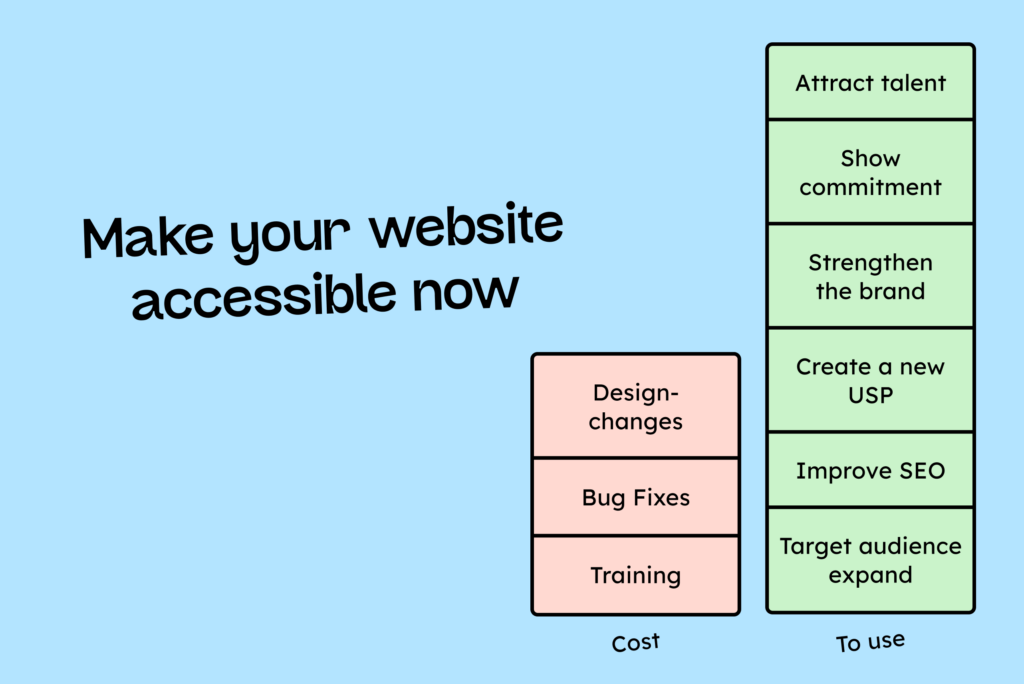
The boring, additional reasons to become digitally accessible now:
- Expand your target audience by up to 20%
- Brand building for more customers and employees
- Avoid lawsuits
- Improve SEO
- Reduce support costs
- The target audience is looking for their favorite brands.
Learn more: The business case of digital accessibility
Accessibility is part of the inclusion movement. And we’ve written this article about why inclusion is becoming increasingly important for your company: Why only inclusive companies are future-proof.
Where do I begin with accessible web design?
Regardless of whether you’re working in a team or solo, the development process for a website is always the same:
- Planning
- Design
- Development
- Testing
- Release

The earlier you consider digital accessibility in this process, the simpler and cheaper it will be. Therefore, during the planning phase, you should ask yourself which digital accessibility requirements apply to your website, how you will implement them, and how you will test them. You can learn more about this in our article on the Definition of Done: Accessibility as part of the Definition of Done.
Once the requirements are clarified, the design phase begins. According to Google’s head of digital accessibility, every hour that designers invest in digital accessibility saves developers up to four hours of work.
It’s therefore worthwhile to provide your designers with good training in this area.
Can I create an accessible web design without programming knowledge?
If you work as a freelance web designer, you should at least have a basic understanding of HTML and CSS. Most accessibility issues stem from HTML errors. The more you know about clean HTML, the easier it will be for you to make a website accessible.
HTML knowledge is important for understanding how to set the correct landmarks and attributes, adhere to heading structures, and influence reading and tab order.
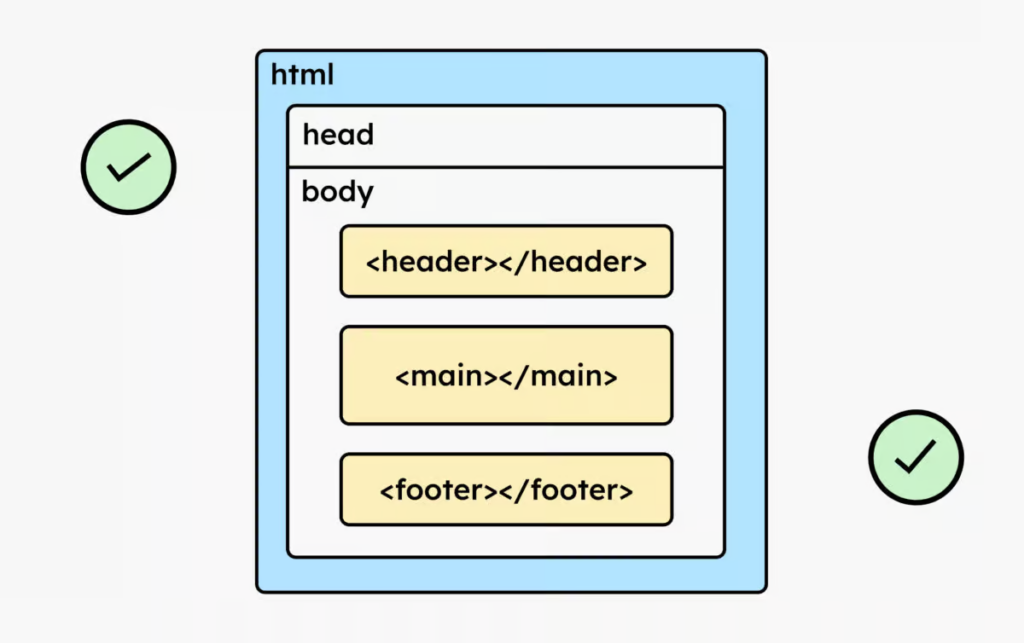
If you’re not building your site from scratch, but using tools like WordPress, Wix, Webflow, or others, you might run into a problem here: Not all tools allow changes to the HTML.
For example, we use the Bricks builder to build our WordPress websites. However, to use it effectively, you need to have some understanding of HTML and how CSS styling affects your website.
How do I test my website for digital accessibility?
After you have implemented your accessible web design, you must, of course, test your work!
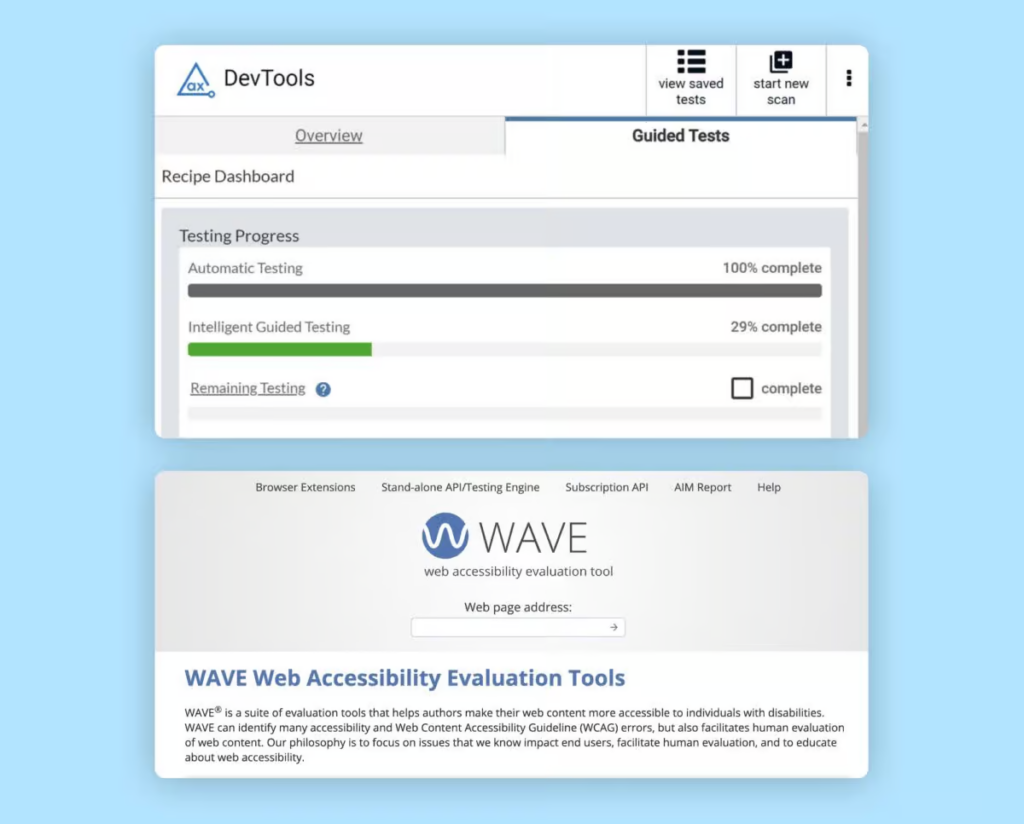
Testing a website’s digital accessibility isn’t always easy. Only about 40–50% of all errors can be found with automated tools. Therefore, extensive manual testing is necessary, especially with assistive technologies. Manual testing can be quite time-consuming. That’s why we suggest the following test setup for efficient testing:
- Validate HTML
- Run automated tests
- Test manually
- Testing with assistive technology
We have described in more detail how to test these steps in the following blog post: “How to test digital accessibility.“
Conclusion on Accessible Web Design
You should now know what accessible web design is, why it is important, which laws apply to you, how to get started with accessible web design, and how to test your website for accessibility.
If we have left any questions unanswered, please feel free to email us at any time, and we will try to give you an answer as soon as possible!
If you really want to get started with digital accessibility in your design process, then our online course for designers might be for you: The online course for designers.
