When someone watches a video, they (usually) take in a lot of information through their eyes:
- Who stands where?
- How do people look?
- What’s happening in the background?
- And much more.
To make this visual information accessible to everyone, audio description is needed. In short, this means someone describes what is happening in the picture when no one is speaking.
For example, during a pause in the dialogue of a crime novel, it is said:
“A woman with a red scarf enters the room. She looks around nervously.”
Such descriptions allow blind and visually impaired people to follow the plot – even when no one is speaking.
Audio descriptions are available for films, series, theater performances, live events, and social media videos. Sometimes they come as a separate audio track, sometimes as a separate video, and sometimes even live!
Who needs audio description?
As mentioned, audio description primarily helps blind and visually impaired people. However, it can also be helpful for people with cognitive impairments to follow the video content better, or for people currently learning German to have another way to understand the language more quickly and effectively.
Audio description and digital accessibility
EN 301 540 and the WCAG criteria also contain requirements for audio description. Unfortunately, there are several requirements that can be somewhat confusing at first. The most important WCAG criteria (from Levels A & AA) are:
1.2.3 – Audio description or text alternative (Level A)
This criterion requires either an audio description or a detailed text description (full-text alternative) for a video.
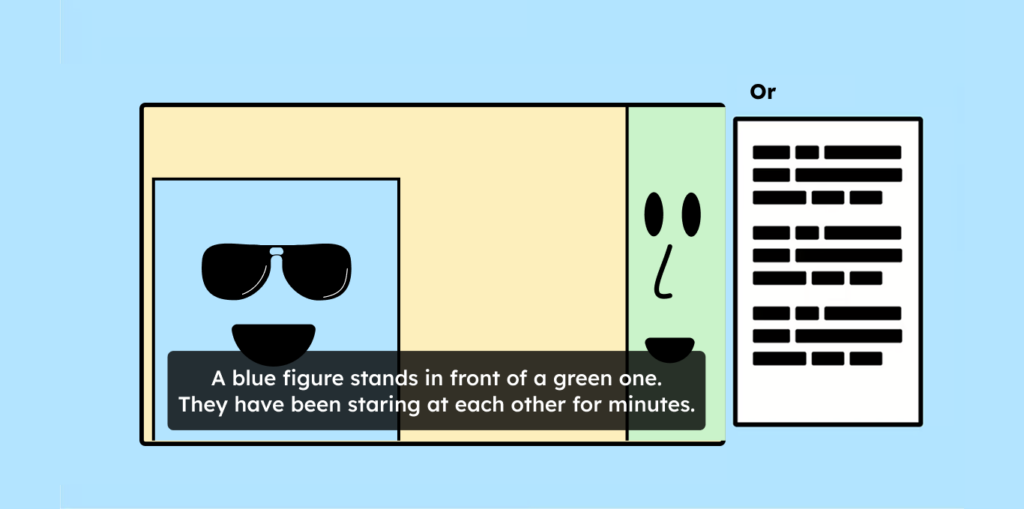
This criterion, however, is only Level A. The Accessibility Strengthening Act and EN 301 549 stipulate that we must also adhere to WCAG Level AA. Therefore, this criterion can be ignored, because the following double-A criterion actually overrides this A criterion about audio description. More on criterion 1.2.3 Audio description or text alternative.
1.2.5 – Audio description (Level AA)
For this double-A criterion, a simple text alternative is no longer sufficient – you must offer an audio description.
Audio description for videos is necessary when information important to understanding the video is conveyed solely through visual content.
A classic example of this is explainer videos. These often show things only through images, without a narrator to describe or name them. These videos now need audio description.

However, there are exceptions, and some videos do not require audio description. Videos do not need audio description if:
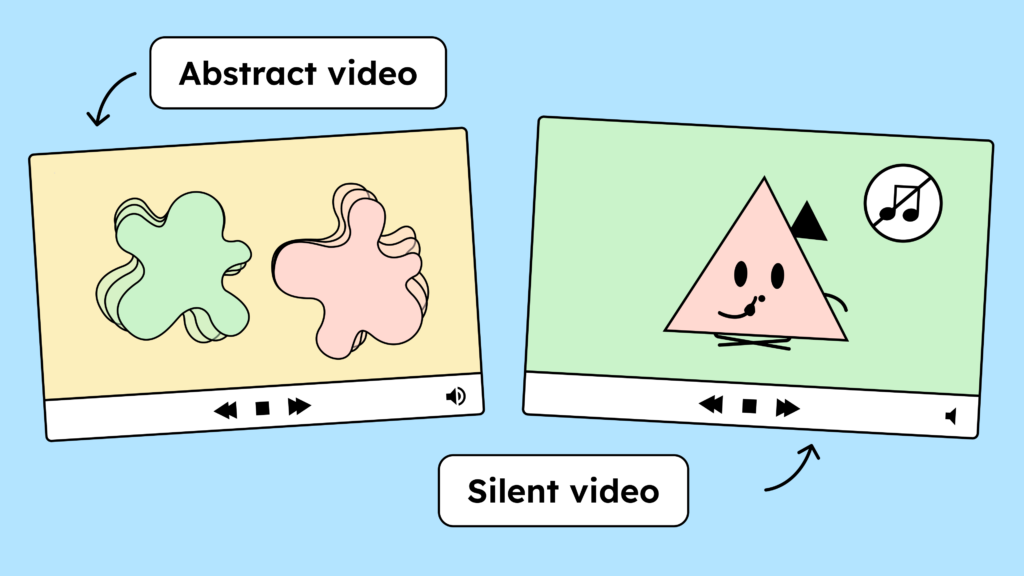
- The content of the video cannot be described in words (for example, a light show).
- The synchronous perception of image and sound is not required for understanding the video (then a transcript is sufficient, depending on the case).
- The video has no audio track (There is a separate criterion for this: 1.2.1 Alternatives for audio files and silent videos).
- It’s a sign language video.
- The video itself is already an alternative to another medium (for example, a text)
In addition to the WCAG criteria, there is a list of EN 301 549 criteria that apply to video players.
Requirements of EN 301549 for audio description
Chapter 7 of EN 301 549 lists several criteria that video players must meet to be considered accessible. The requirements regarding audio description are as follows:
- 7.2.1 Playback of audio description
- 7.2.2 Synchronous audio description
- 7.2.3 Preservation of audio description
- 7.3 Controls for subtitles and audio description
In principle, these criteria require that the video player be able to playback and keep audio descriptions synchronized.
The biggest problem lies with “7.3 Controls for subtitles and audio description”. This criterion states that the button to activate audio description and subtitles must be placed at the same level as the pause and play buttons.
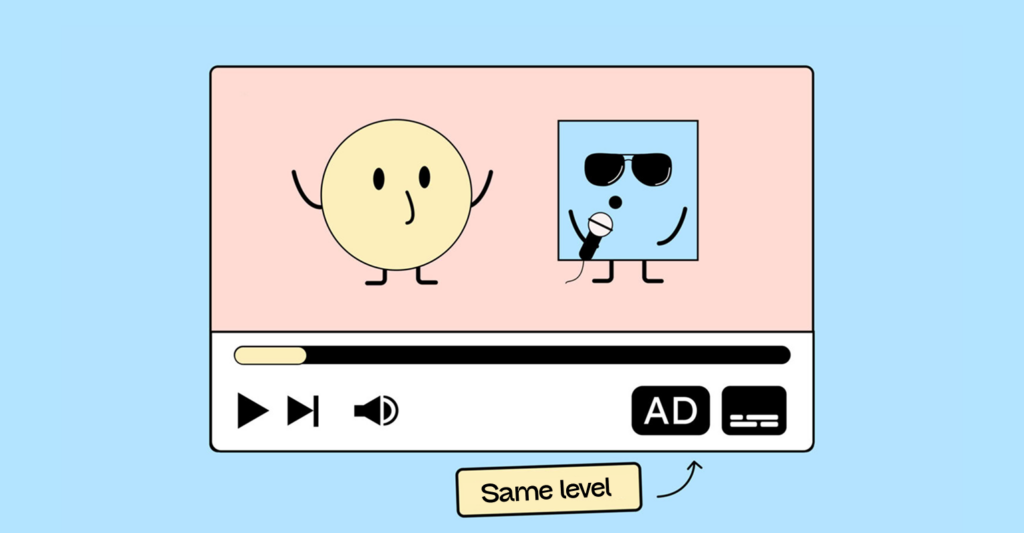
The only players currently implementing this are the Able Player and the Aktion Mensch Player (German). However, there is much discussion about this criterion – and whether it is truly useful in practice.
The YouTube player, for example, doesn’t currently meet this criterion. While the player allows you to twitch between audio tracks, it requires one or two more clicks than switching subtitles. Whether this is actually a problem is still unclear. However, on YouTube, you can work around this by uploading the video once with and once without audio description and linking to the other version in the video descriptions.
Everything you need to know about creating accessible content!
- What types of content actually need to be accessible: social media, websites, newsletters?
- What requirements apply to content, and how do you implement them—without missing anything?
- How do you integrate accessibility into your daily workflow without it becoming a major extra burden?
Through theory and practice, we’ll show you what we’ve taught participants—from Aktion Mensch to Deutsche Bahn—over the past three years!

Do all videos on my website now need audio descriptions?
This is also a hotly debated question. The root of the problem lies in a fundamental disagreement over whether the entire website needs to be accessible, or only the actual operational process. Unfortunately, there is still no clear answer to this question.
However, the Federal Ministry of Labour and Social Affairs assumes that the entire website should be accessible. If this is the case, then every video on the website must also include an audio description – if one is required.
A video that contains no visual information not conveyed through language or that is not necessary for understanding does not require audio description, as mentioned above. Therefore, not every video is affected.
However, it is essential to pay close attention to whether information in a planned video is conveyed solely visually. Product videos and promotional videos on websites, in particular, are subject to legal regulations and must include an audio description.
What about older videos that have already been produced?
The following is stated in the scope of application of the law (German):
(4) This law does not apply to the following content of websites and mobile applications:
- Recorded time-based media released before June 28, 2025;
Older videos probably don’t need editing. The only question is how to prove when the video was published and whether that’s actually the case, especially if the video is part of a product sales page.
In an accessibility test (German), it will likely be noted as a defect by the market surveillance authority, and this will need to be discussed.
Examples of videos with audio description
Video: Tarot with audio description (German). The ARD media library offers videos with audio description, such as Tatort. To activate the audio description, click on the speech bubble icon (“Language and Accessibility”) and then select “German Audio Description”.
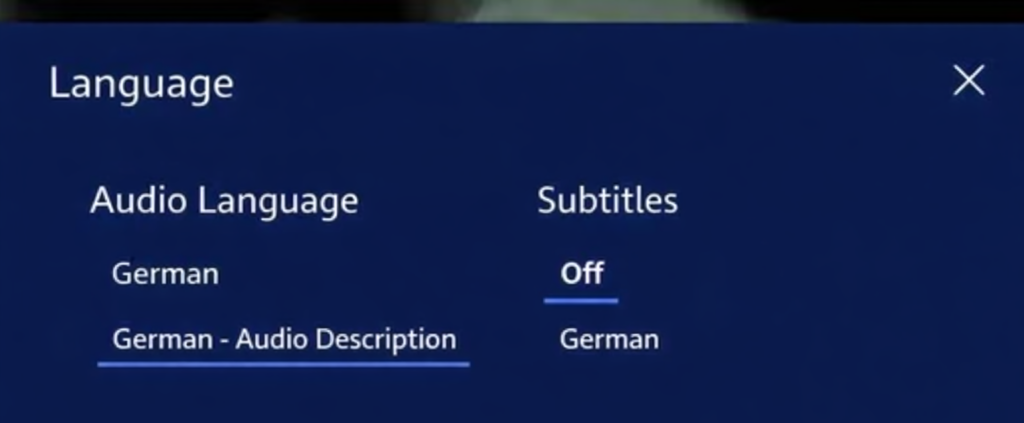
And here is another example from our video about alt text with audio description.
How do I need to provide the audio description?
As you can see in the two video examples above, audio description can be provided in several ways:
| Type of audio description (AD) | Advantages | Disadvantages |
|---|---|---|
| Integrated | All information is contained directly in the video, without any additional ad copy. Therefore, no subsequent editing is necessary. | The person recording the video needs a briefing. The video may be longer due to integrated image descriptions. |
| With second audio track | The video retains its original length | Only short ADs are possible. Post-processing is necessary. |
| Expanded | More detailed ADs are possible | Post-processing is necessary. Waiting time needs to be added to the video. This will lengthen the video. |
All these options are acceptable for digital accessibility. You can find more information in this guide to creating audio descriptions (non-accessible PDF) (German).
How do I create an audio description?
If you want to create your own audio description for your content, you can do the following:
- Analyze the video content:
What is happening in the image that is not explained by the sound? - Speak during pauses in speech :
The description must not disrupt the dialogue. - Stay clear and neutral :
No interpretation – simply say what is visible. - Get to the point :
Time is short. Only say what’s really important. - Record it yourself or have someone else record it :
Ideally, with a real voice!
Example:
In the original video, only music can be heard as a woman slowly closes a window. A suitable audio description would be, for example: “A woman with curly hair closes the window and gazes absently outside.”
Are there any helpful tools available for creating the product?
Unfortunately, we are currently unaware of any tool that can help you create audio descriptions. Of course, standard video editing software can be used to insert still images into which the audio description can then be recorded.
This includes:
- Description (also good for subtitles)
- Adobe Premiere
- Audiodescription.info
Of course, there are also service providers who create really cool videos and include audio descriptions. We highly recommend the wonderful team at Lichtspieler.tv (German)!
Audio description by AI
Since audio descriptions are very labor-intensive, using AI to help might seem appealing at first. However, it’s important to note that AI isn’t quite there yet. Currently, we are unaware of any software that can automatically create complete audio descriptions.
Large companies like Microsoft have been offering apps for some time that convert moving images into spoken text in so-called scene descriptions. However, these are still in their infancy. For the moment, the same applies to audio descriptions as to alt text: you can let AI do the work for you, but it can’t do the job for you yet and absolutely must be monitored. Otherwise, it becomes a source of errors, and the work is wasted.
Conclusion on audio description
The requirements of EN 301 549 and WCAG for creating audio descriptions can be complex – especially for online shops. Therefore, it is important to pay close attention to what information should be included in a video right from the planning stage.
If the video is intended to include information that offers visual value, the simplest solution is to ensure the speaker already mentions the information. A classic example is the interviewee’s name. This is often displayed on screen but not explicitly spoken. This detail should be considered during the video planning phase so that the video doesn’t require extensive post-production editing to “force” the name into the video.
As with so many things in digital accessibility, the following also applies here: those who think ahead during the planning phase save themselves a lot of time and effort later on.