
WCAG 3.3.2: Labels or Instructions
Back to all WCAG criteriaOVERVIEW
Effort:
- Complexity:Easy
- Duration:Fast
Important for:
Design, Development
To WCAG:
3.3.2 Labels or InstructionsWhat's it about?
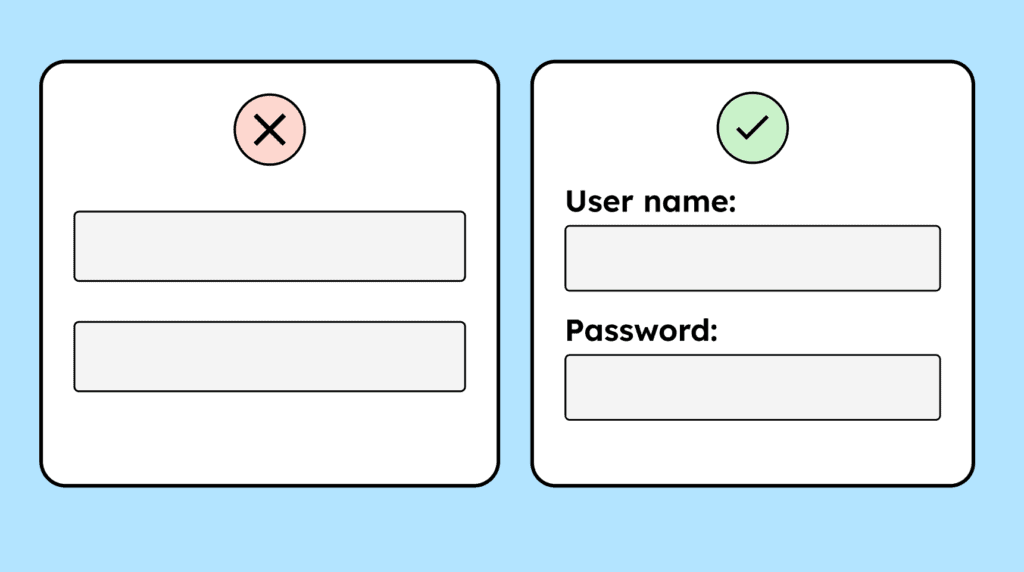
Forms and input fields need clearly visible labels and, when necessary, additional explanatory instructions.
How to
Depending on your situation, you can implement one of the following options to meet the criterion. For a deeper dive, please refer to the linked WCAG techniques.
Visible labels for form elements
Every form field needs a visible label. This includes checkboxes, radio groups, and even custom components such as range sliders.
Required fields must be clearly marked, for example with the text “Required field.” If required fields are marked only with an asterisk (*), the meaning should be explained (ideally at the beginning of the form).
Additional information, such as the required input format, should be placed directly at and above the input field. If it is positioned visually and in the code below the field, it must be linked to the field via aria-describedby.
Text inside the placeholder attribute does not count as a visible label.


Notes
Hint: The search field is an exception
Search fields are an exception and do not require a visible label. Because it is such a well-known pattern, the icon is sufficient for sighted users. However, it must still have a programmatically determinable label for screen readers.

Accessible development?
Our workshop for developers!
Learn everything you need to know in our workshop to build accessible websites!

Learn accessibility with us?
Looking to implement WCAG best practices in your design, development, or content workflow? Book a workshop for your team or contact us directly to learn more.