
WCAG 2.5.1: Pointer Gestures
Back to all WCAG criteriaOVERVIEW
What's it about?
Functions that require multi-finger or complex gestures, such as swiping, dragging, rotating, or pinching, must also be operable through simple pointer interactions, for example with a single click or tap.
This ensures that all users can use the function, even if precise gestures or multi-finger actions are difficult for them.
Complex gestures can appear in two forms:
-
Path-based gestures: the entire movement matters, not just the start and end point. Example: swiping left or right.
-
Multi-point gestures: multiple touch points are required at the same time, such as pinching on the screen.

How to
Depending on your situation, you can implement one of the following options to meet the criterion. For a deeper dive, please refer to the linked WCAG techniques.
Alternative for complex gestures
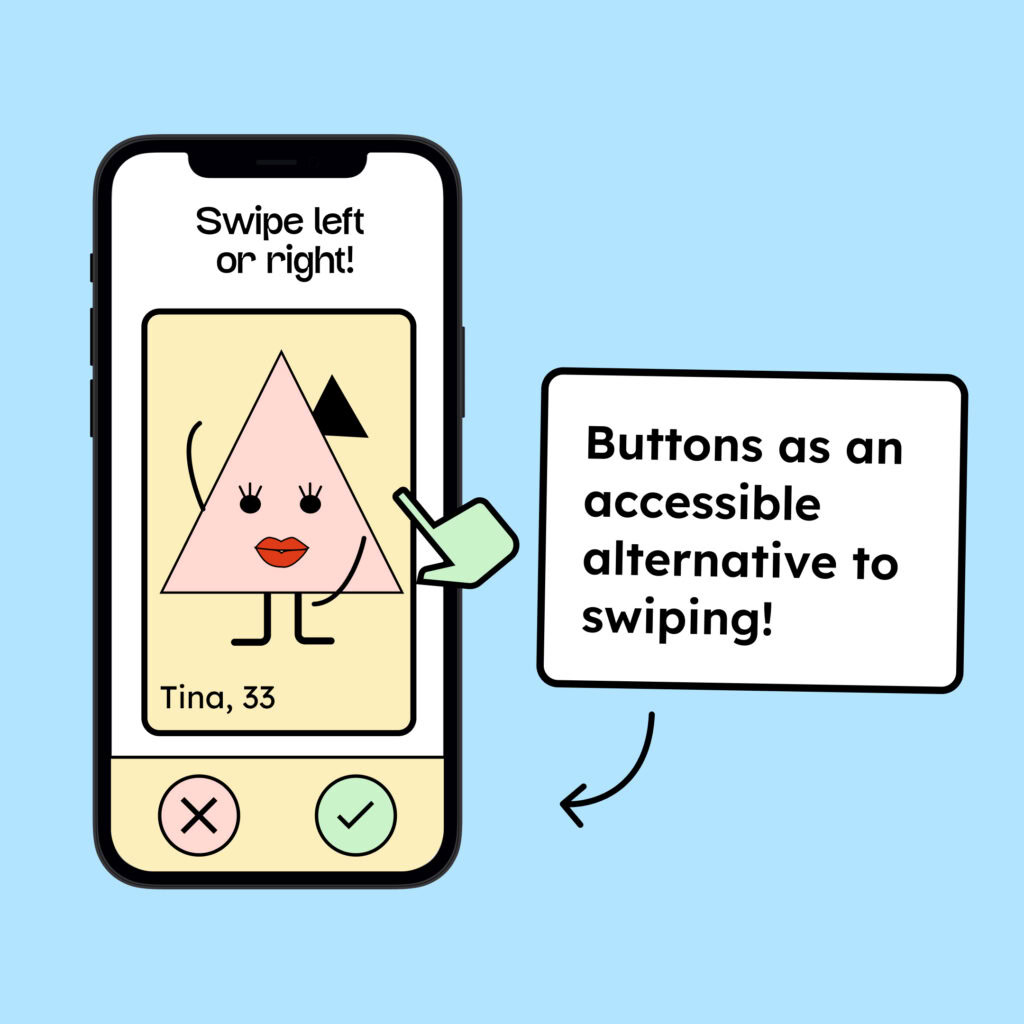
Any function that requires complex pointer movements must also be operable through simple input methods, such as clicking, tapping, or pressing the Enter key.
Content that is confirmed by swiping right or deleted by swiping left should additionally be accessible via clear buttons like “Confirm” and “Delete.”

Notes
Exception: Essential gesture
There is an exception to the rule for actions where the path-based gesture is essential.
This includes signing on a screen or drawing a picture with a stylus on a tablet. In such cases, the exact gesture movement is necessary for the function and does not need to be replaced by a simple input.

Create accessible designs?
Our workshop for designers!
Learn everything you need to know as a designer to create accessible design systems for digital products and entire brands.

Learn accessibility with us?
Looking to implement WCAG best practices in your design, development, or content workflow? Book a workshop for your team or contact us directly to learn more.