
WCAG 1.4.4: Resize Text
Back to all WCAG criteriaOVERVIEW
What's it about?
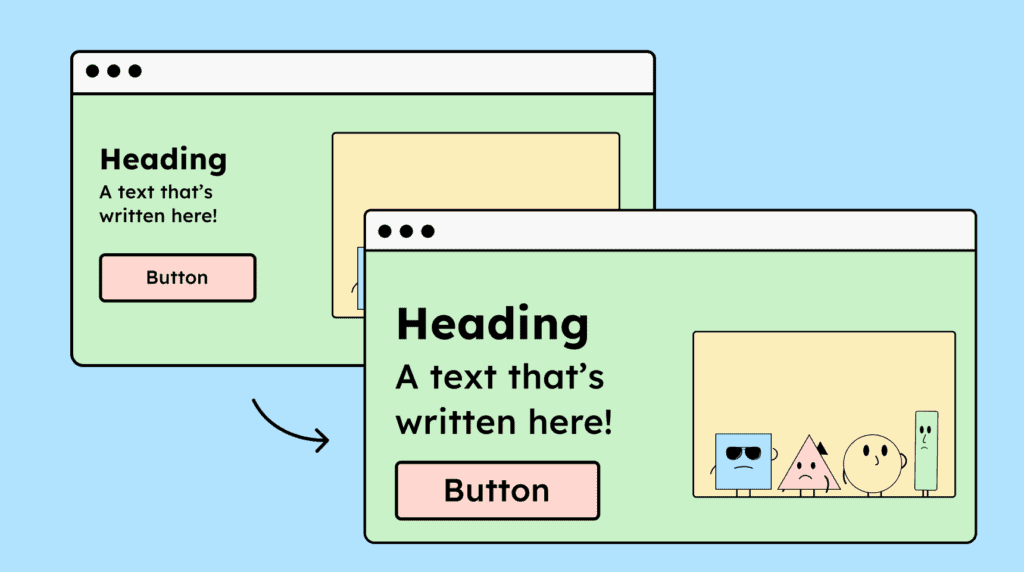
A website must still work at 200% zoom. Texts or other content must not be hidden or disappear, and all website functions must remain usable.
How to
Depending on your situation, you can implement one of the following options to meet the criterion. For a deeper dive, please refer to the linked WCAG techniques.
No loss of content or functionality when zooming
When zooming, text shouldn’t be cut off or overlapped in a way that makes it unreadable, and functions shouldn’t disappear.
Allow containers to grow, making text wrap correctly (e.g., with text-wrap), and ensure that the same content remains available in all views (desktop, tablet, mobile).
When zooming websites usually switch to tablet or mobile view. Sometimes content or functions are missing in these views. This is a problem for people who can no longer access these functions after zooming. All content and functions must remain available in these views as well, even if their layout changes (Example: main menu gets hidden behind a hamburger icon).


Provide zoom controls
A website can offer its own controls to enlarge text or the entire page up to 200%. This is helpful for users who are less tech-savvy.
The same rules apply here: content must not be lost or overlap, and the controls themselves must be accessible.
Make sure the control actually zooms the text to a full 200% and not just 150% or 180%.

Accessible development?
Our workshop for developers!
Learn everything you need to know in our workshop to build accessible websites!

Learn accessibility with us?
Looking to implement WCAG best practices in your design, development, or content workflow? Book a workshop for your team or contact us directly to learn more.