
WCAG 1.3.5: Identify Input Purpose
Back to all WCAG criteriaOVERVIEW
What's it about?
Form fields must be marked up in the code so that the browser and assistive technologies can understand their purpose. This allows the browser to offer appropriate autocomplete suggestions.
This applies only to form fields that relate to the active user and request personal data, such as name, address, or email.
How to
Depending on your situation, you can implement one of the following options to meet the criterion. For a deeper dive, please refer to the linked WCAG techniques.
Use the autocomplete attribute
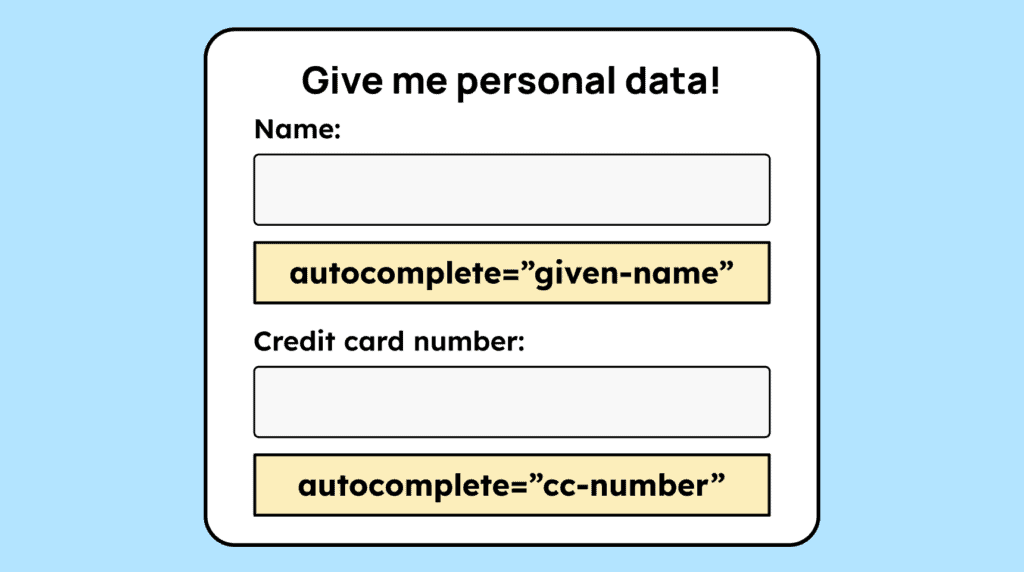
When users need to enter personal data (name, address, password), the form fields in the HTML code need to have an autocomplete attribute with the correct values.
Example for the name:
autocomplete="given-name"Technique(s):


Notes
Exception: It's not clear who enters the data
This requirement applies only to fields that relate to the user themselves. It does not apply to pages where personal data for multiple people can be entered, making it impossible to distinguish between the entering user and other people.
Example: airline booking pages. The input fields for the user are not distinguishable from those for fellow passengers. In such cases, it is not possible to apply the
autocompletecorrectly because the purpose of the fields is not clearly identifiable.

Accessible development?
Our workshop for developers!
Learn everything you need to know in our workshop to build accessible websites!

Learn accessibility with us?
Looking to implement WCAG best practices in your design, development, or content workflow? Book a workshop for your team or contact us directly to learn more.