
WCAG 1.3.1: Info and Relationships (Headings)
Back to all WCAG criteriaOVERVIEW
Effort:
- Complexity:Easy
- Duration:Fast
Important for:
Content, Development
To WCAG:
1.3.1 Info and RelationshipsWhat's it about?
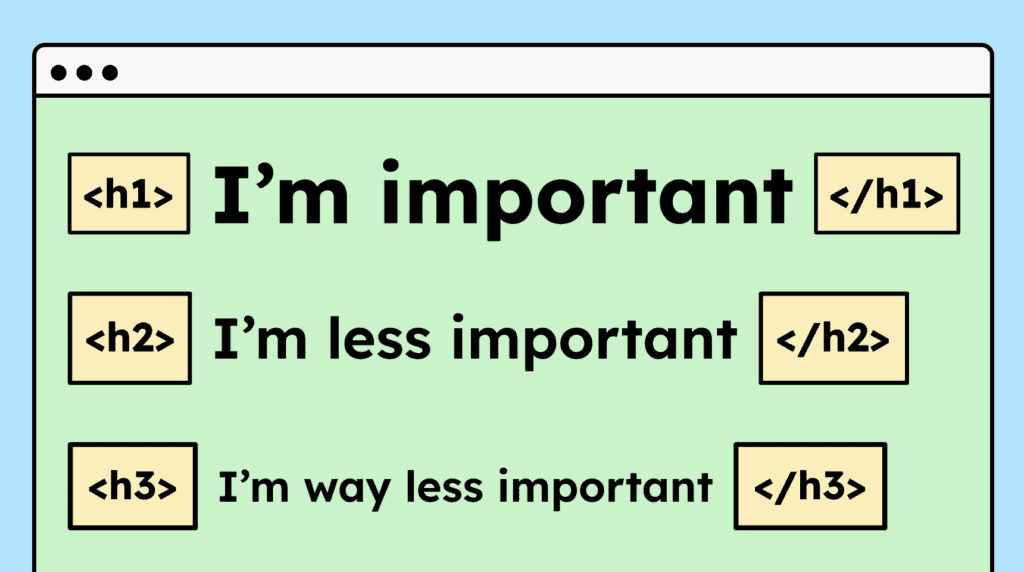
Headings give websites a visual structure and convey meaning. Bold and large text visually indicates that the text is important. They also divide the page into sections and signal that the content or text shown below belongs to that heading.
To ensure this information is also understood non-visually, the heading must be marked semantically as a heading.
How to
Depending on your situation, you can implement one of the following options to meet the criterion. For a deeper dive, please refer to the linked WCAG techniques.
Mark headings correctly
All large or bold text that serves as a heading must also use an HTML tag (
<h1>to<h6>).If it’s not possible to use HTML tags, you can instead use
role="heading"together with the correct aria-level attribute.It is also highly recommended that headings follow a meaningful order. For example, an
<h3>should not directly follow an<h2>, and an<h5>should not appear in that position either.

How do you make content accessible?
Our workshop for content creators and editorial teams
Learn everything you need to know in our workshop to make the content on your website, social media, and other channels accessible!

Learn accessibility with us?
Looking to implement WCAG best practices in your design, development, or content workflow? Book a workshop for your team or contact us directly to learn more.