
WCAG 1.3.1: Info and Relationships (Form Elements)
Back to all WCAG criteriaOVERVIEW
What's it about?
Forms must be structured so that their relationships and hierarchy are correctly represented in the code. This includes giving every field a clear, understandable name and marking groups of related fields programmatically as a single unit.
How to
Depending on your situation, you can implement one of the following options to meet the criterion. For a deeper dive, please refer to the linked WCAG techniques.
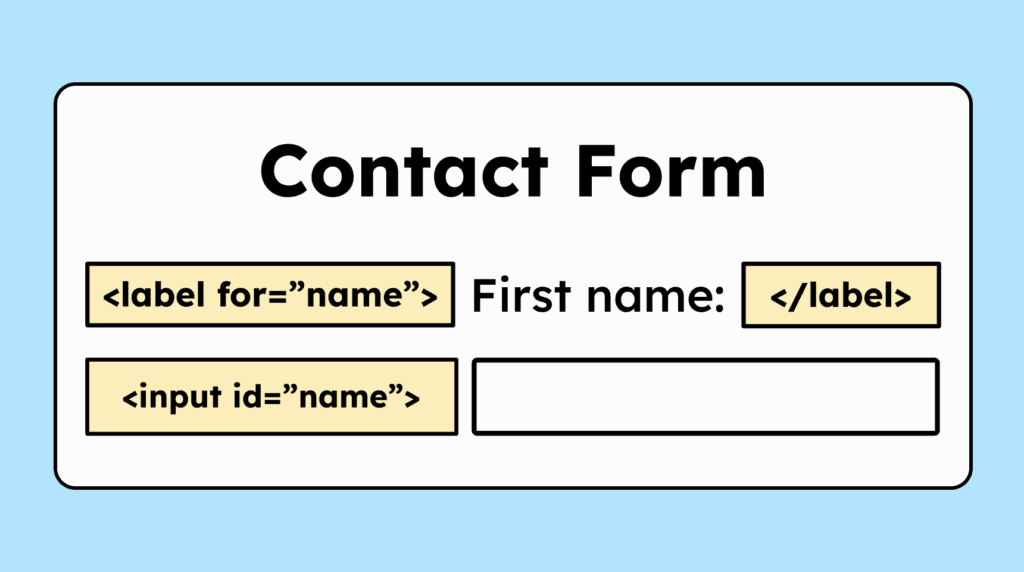
Give form fields a name
Form fields (
<input>) do not have a name in the accessibility tree by default. That’s why they need text that is programmatically associated with the input. The recommended way is to use a<label>:<label for="firstname">First name:</label><input id="firstname" name="firstname" type="text">However, a
<label>is not always possible. In that case, it can be done usingaria-labeloraria-labelledby.This can be the case with a slider:
<p>Please select the <span id="slider-label">number of days.</span></p><div id="mysldr" role="slider" aria-labelledby="slider-label"></div>

Group related form fields
Form fields such as checkboxes and radio groups that belong together and are visually grouped must also be programmatically identifiable as a single unit.
To achieve this, they must be marked up either as a
<fieldset>or as a<div>withrole="group".If the label of the group is important for understanding, the group also needs a description.
For a
<fieldset>, this is done using<legend>.For a
<div>withrole="group", you need a heading that is linked usingaria-labelledby. Each individual<input>field additionally requires a connected<label>.

Accessible development?
Our workshop for developers!
Learn everything you need to know in our workshop to build accessible websites!

Learn accessibility with us?
Looking to implement WCAG best practices in your design, development, or content workflow? Book a workshop for your team or contact us directly to learn more.