
WCAG 1.1.1: Non-Text Content (Controls)
Back to all WCAG criteriaOVERVIEW
What's it about?
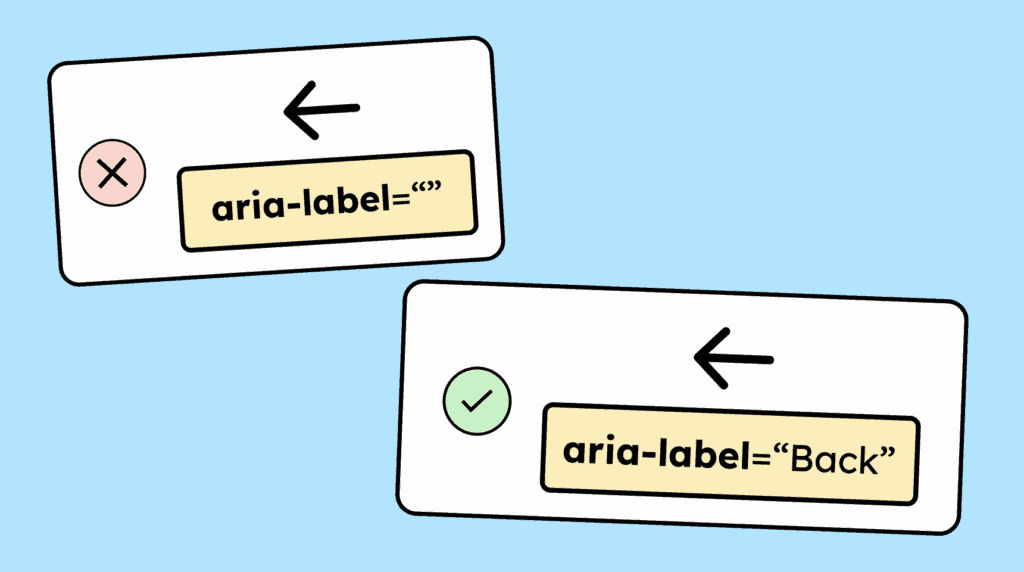
Graphical controls, such as clickable icons or images, need a name so that screen reader users can understand their function. This can be provided, for example, via the alt attribute or the aria-label attribute.
How to
Depending on your situation, you can implement one of the following options to meet the criterion. For a deeper dive, please refer to the linked WCAG techniques.
Provide text alternatives for graphical controls
A text alternative can be provided in different ways:
- Images: If an
<img>is used as an interactive element (a link, for example), you can use thealtattribute to describe the function and the content of the image. - SVGs: The HTML element SVG doesn’t have an
altattribute. You need to use antitle-attributearia-label,aria-labelledby, or hidden text (check out the article Accessible Icon Buttons) to name the graphic. Example:aria-label="Previous" - In general: A text alternative can be provided next to a graphic. In that case, the graphic should be marked as decorative. Example: The word “Menu” next to a hamburger icon. (Learn more: 1.1.1 Non-text Content for graphics.)

- Images: If an

Provide text alternatives for image maps
Image maps are images with individual clickable areas.
The entire map needs a text alternative, and each clickable area within the map also requires one. The text alternative for the map should describe the whole image. The text alternatives of the individual clickable areas should describe the image and/or the function (for example, the destination of the link). Here is an example of an image map with alternative texts.

Add labels to form fields
Form fields (
<input>) are essentially just graphical rectangles and, by default, have no name in the accessibility tree. This means a screen reader user will only hear “text field” if the field has no label.To give a form field a name, we recommend using a
<label>and connecting it to the field via theforattribute. This provides the form field with a visible label that is also programmatically identifiable for screen readers. This also helps meet WCAG criterion 1.3.1 Info and Relationships (labels for form elements).

Notes
Hint: Logos as interactive elements
If the logo links to the homepage, we recommend including both the company name and the destination of the link in the text alternative.
Example: “Gehirngerecht logo. Links to the homepage.”

Hint: Handling SVGs
You can give an SVG a name using the
<title>tag.Because screen reader support is sometimes unreliable, the title should also be connected to the SVG using
aria-labelledby. In addition, the SVG should include the attributerole="img".Example:
<svg role="img" aria-labelledby="title1"><title id="title1">A red, …</title></svg>

Hint: Text alternatives for interactive images
For interactive images, the question is what exactly needs to be included in the text alternative:
-
Is only the function important? Then only the function needs to be described. Example: social media icons that link to platforms like YouTube or Instagram.
-
Is the image itself important and the link? Then both must be described. Example: an image has a zoom function and enlarges when clicked. In this case, the text alternative must describe both the image and the function. (Whether such zoom functionality provides good usability is another question entirely.)
-

Accessible development?
Our workshop for developers!
Learn everything you need to know in our workshop to build accessible websites!

Learn accessibility with us?
Looking to implement WCAG best practices in your design, development, or content workflow? Book a workshop for your team or contact us directly to learn more.