Familiarize yourself with the legal situation
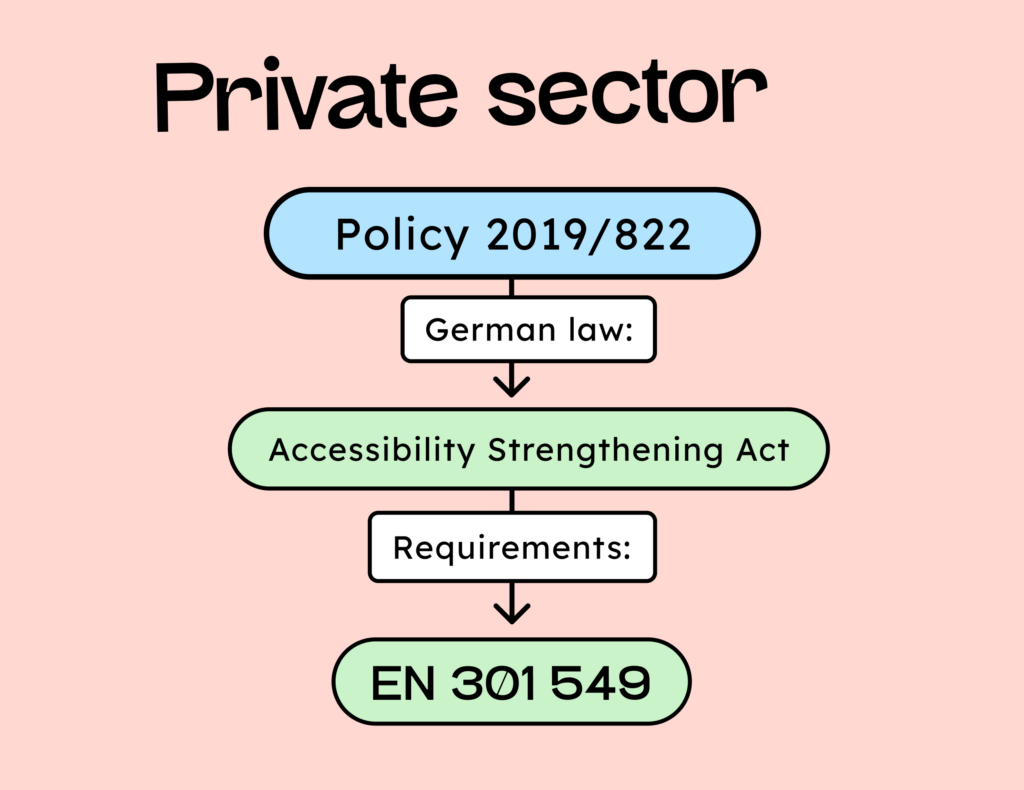
Your first step is to understand the upcoming Accessibility Strengthening Act (BFGS). Which companies are affected? What needs to be made accessible? And which standards must be met?
We have already written extensively about the Accessibility Strengthening Act and the EN 301 540 standards. Therefore, here is just a summary:
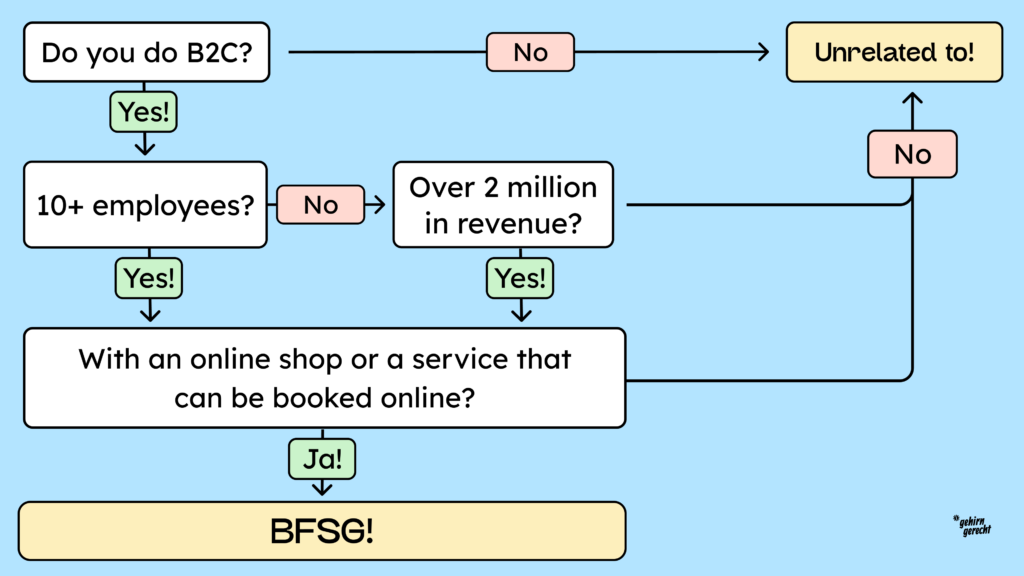
- B2C only: This law applies to consumer contracts (B2C). B2B contracts are not affected.
- Exception for micro-enterprises: Micro-enterprises are exempt from the law. A company is considered a micro-enterprise if it has fewer than 10 employees and a turnover of less than 2 million euros. If either of these limits is exceeded, the company is no longer a micro-enterprise and is therefore subject to the law.
- Only websites with purchasing options are affected: The BFSG (Federal Law on Electronic Commerce) addresses the conclusion of consumer contracts through “electronic commerce.” Websites where no purchases are possible are not affected by the law. However, the exchange of data for information (e.g., newsletter subscriptions) is considered a “contract conclusion.” Furthermore, “contract initiation” is also covered, such as booking a table at a restaurant online. Purely presentational websites are not affected.
- Distribution channels must be accessible: Does everything on the website have to be made accessible? As just mentioned, the law applies only to the formation of contracts. Therefore, purely informational subpages of the website (like a blog) don’t actually have to be designed to be accessible. However, the Federal Ministry of Labor and Social Affairs and some lawyers say otherwise. Apparently, according to a paragraph in the law, everything can ultimately be tested. Anyone who wants to be on the safe side should make everything accessible – even if large companies often take a different view.
- Liability for the use of third-party tools: Opinions differ. Some say you are not liable, while others claim the opposite, arguing that you have control over which tools are used. We would definitely recommend checking with each tool (via its website or support) to see if it claims to be accessible. If so, you can generally rely on their word and transfer responsibility to them should any problems arise.
Checklist regarding the legal situation:
- Target audience:
- B2C? It must be accessible.
- B2B? Exempt from the law.
- Company size:
- Does the company have fewer than 10 employees and less than €2 million in revenue? The company is exempt from the law.
- Has one of the two limits been exceeded? The company is obligated to ensure accessibility.
- Website features:
- Is it possible to purchase anything or initiate a contract (e.g., table reservations) on the website? The site must be accessible.
- Only presentation of the content? No obligation to provide accessibility.
- Affected content that must be accessible:
- Is the subpage part of the sales process (e.g., product page, checkout, etc.)?
- Is the information important for the purchasing process (example: terms and conditions)?
- Is it possible to initiate a contract (booking tools for restaurants and hairdressers)?
- Is it possible to exchange data for information (does this also count as a consumer contract)?
- Third-party tools:
- Does the website use third-party tools? Check if the tools promise accessibility.
- Do these tools claim to be accessible? One should be able to rely on their statements.
What legal requirements do I have to comply with to make websites accessible?
The Accessibility Strengthening Act is somewhat cryptic and only refers to “European standards”. The only standard currently in effect here is EN 301549. This is the European standard for the accessibility of information and communication technology.
This standard specifies requirements that products and services must meet to be considered accessible. It applies not only to websites and software, but also to hardware. Therefore, this standard has 13 chapters.
For the web, in most cases, only Chapter 9 of this standard is relevant (and a single criterion from Chapter 11). Chapter 9 refers entirely to the Web Content Accessibility Guidelines (WCAG). Therefore, it is often said that one must be WCAG-compliant to be accessible.
Currently, the European standard only references WCAG version 2.1. However, version 2.2 has been available since 2024. This version will also be referenced in a new edition of the European standard at the end of 2025. Therefore, we recommend considering WCAG 2.2 directly. Otherwise, you may have to address digital accessibility again at the end of the year.
A clear list of all WCAG 2.2 criteria that now need to be considered can be found on our WCAG criteria (German) page.
And what about the other parts of the European standard?
As mentioned above, the standard has a few more chapters and criteria that may be more or less relevant to websites. Specifically, these are chapters 5, 6, 7, 11, and 12. However, the criteria in these chapters do not apply to your websites and online shops in 98.7% of cases.
Chapter 6 of the standard, for example, addresses “Requirements for two-way voice communication” (e.g., Zoom meetings or Microsoft Teams). If you offer two-way voice communication on your website, the service must meet these criteria. Often, however, this involves a third-party tool that you have integrated. In that case, the tool provider would have to ensure that it is accessible. If, however, you program two-way voice communication into the website yourself, then you must, of course, comply with these criteria and test them. So far, we haven’t had a website where we’ve had to test the criteria of Chapter 6.
One specific EN criterion that is often relevant is “11.7 User-defined settings (German)“. This criterion states that a website must adhere to the user’s preferences. If a user sets their browser to display larger text, the website must respond by displaying the text larger. (This is usually not a problem if text sizes on websites are specified in “em” or “rem” and not in “px”.)
The other EN 301549 criteria are rarely relevant. Nevertheless, it’s worth taking a look at them. You can find them on the BIK-BITV test (German) website. The BIK-BITV test is a catalog of tests. We will explain what that is in more detail in the final step of the testing process.
Acquire knowledge
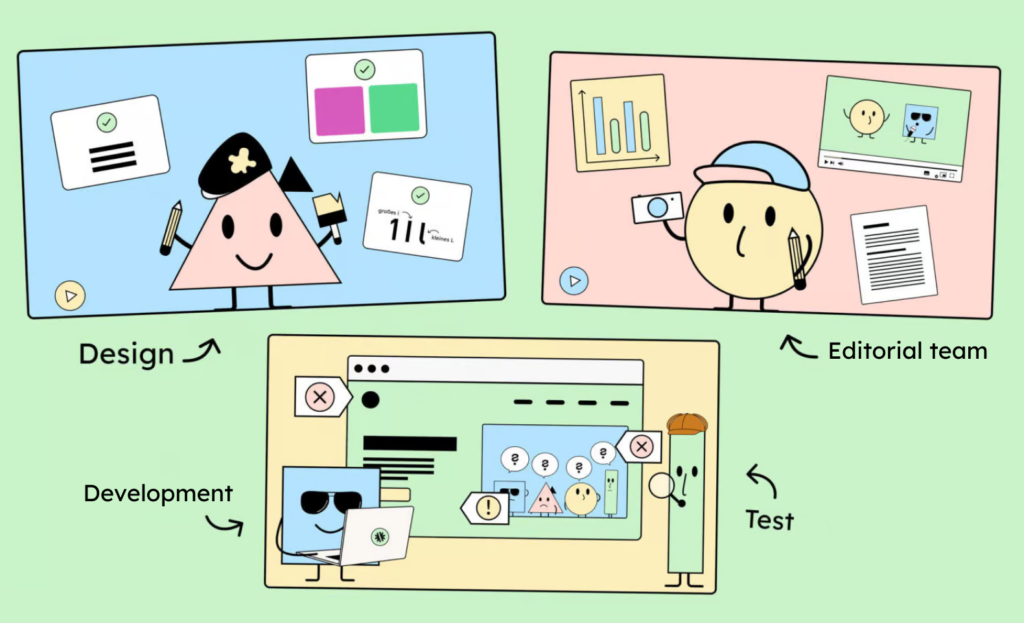
No one will probably believe me, but this part isn’t meant to be self-promotion. There’s simply no way around training your team on digital accessibility.
Digital accessibility is like responsive design: it’s not a project you can finish. From now on, you have to ensure that every project you undertake is accessible and remains so forever. This means integrating accessibility into your existing processes. I’ve already written a fairly detailed blog post about how to do this: Getting started with digital accessibility. The step-by-step guide!
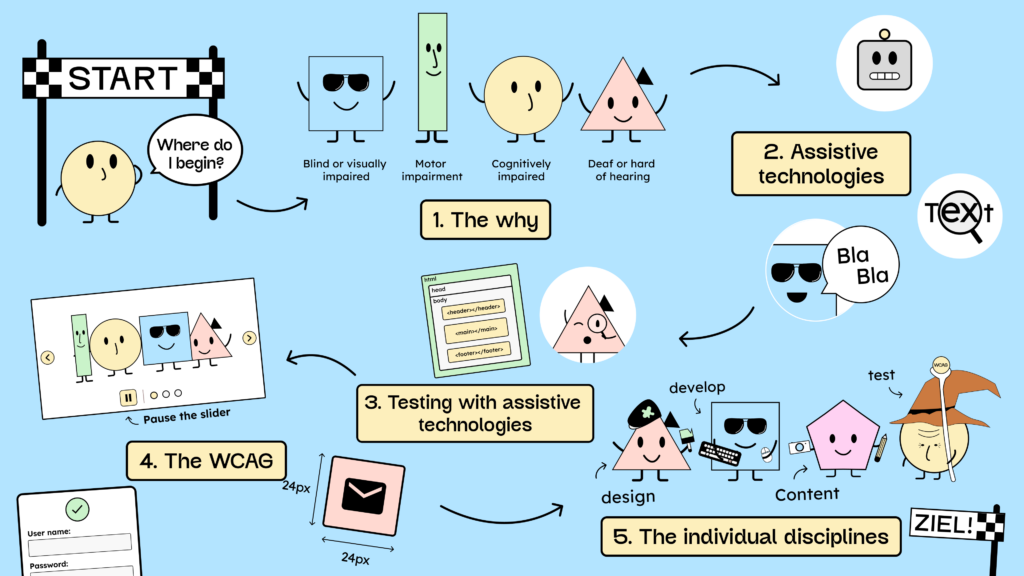
In short, it’s about this:
- Understanding the “why” behind accessibility and getting to know the personas
- Understanding what assistive technologies do
- Learn to test with assistive technologies
- Understanding EN 301549 and WCAG
- Learning the individual disciplines (design, development, content, and testing (German)).
The information on our blog and website in general will get you quite far! However, if you like what we do and want to support us in creating further content on digital accessibility, you can take a look at our workshop page.
Analyze existing websites and shops.
You’ve probably already received customer inquiries about digital accessibility. These inquiries may have arisen because you proactively contacted existing customers, or because customers approached you on their own. Either way, in many cases, you probably won’t be starting new projects; it will be about making existing websites and online stores accessible.
How do you estimate the costs and effort involved in existing projects?
The first thought of customers and product owners is often: “Let’s test the website first to see exactly what needs to be made accessible.”
Therefore, we often receive requests to conduct a complete accessibility test of websites. However, these comprehensive tests are quite expensive and rarely necessary.
It’s highly likely that the website or online shop is currently inaccessible and will require significant work. A complete test will only provide a list of unnecessary details, most of which will be resolved anyway when addressing the major issues.
A comprehensive test only makes sense after the site has already been redesigned for accessibility. We recommend initially conducting a quick accessibility check. A quick check tests approximately 10-15 criteria to identify the major weaknesses. This helps product managers and the team make a reasonable estimate of the required effort.
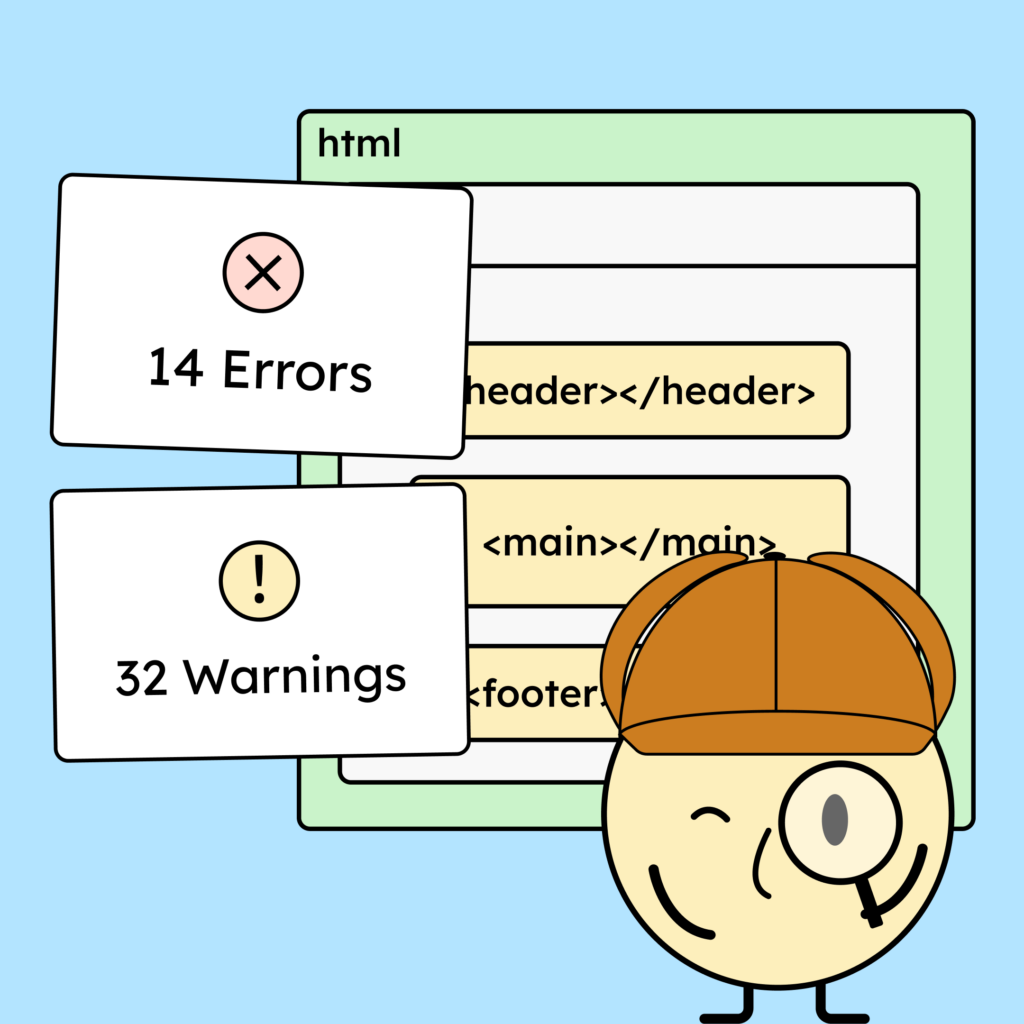
With a little experience, you can perform this quick check yourself. However, it can be helpful at the beginning to get some tips from someone who already has experience with this… cough. Visit our accessibility quick check (German) page for more information. cough
A quick check includes testing the following points:
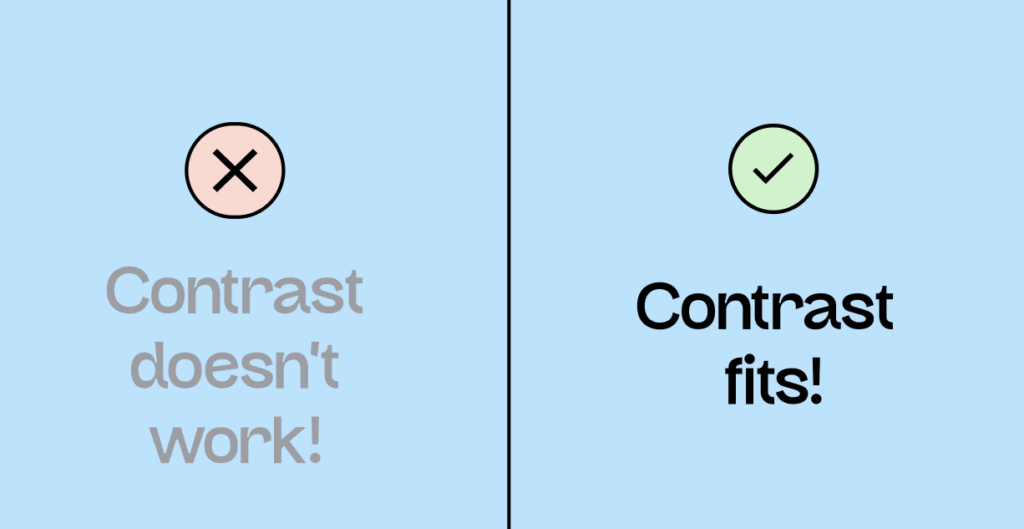
- Color contrast: Are the brand’s colors sufficiently contrasting? If not, you should consider changing them. However, this often leads to discussions. Changing the colors isn’t always necessary. Theoretically, you could offer a compliant alternative version, but this can cause problems in other communication materials, for example, when creating accessible PDFs. Therefore, we strongly recommend adjusting the colors.
- Keyboard accessibility: Is everything on the website keyboard accessible? If parts of the website, such as links, buttons, forms, etc., are not keyboard-accessible, this often indicates broader problems with the website. One of the biggest challenges is making these elements keyboard accessible again by using HTML correctly. This often takes time and planning.
- Special features: Are there logins with CAPTCHA, functions that rely solely on hovering, drag-and-drop, or complex gestures? If so, alternatives must be created. This can lead to significant problems on some websites.
- Alt text, video subtitles, etc.: Are you responsible for the website’s content? If not, then this isn’t relevant for you. If so, then it depends on how many images and videos are on the site.
- Animations: Does the website contain animations? If so, there must be a way to pause them. This may require some effort.
A quick check primarily tests criteria that might require a bit more effort. There are many other “minor” WCAG criteria, such as the “mutable sound” criterion. This criterion is quite easy to implement. Many of these “minor” criteria usually require little effort and are addressed simultaneously with the major improvements. You can also find an overview of the criteria, including effort estimates based on duration and complexity, in our WCAG criteria section.
And how much effort does it typically take to make a website accessible?
I can’t provide more precise figures without knowing your website setup and workflow. I can at least say it only seems a bit overwhelming at first, but it gets much faster over time! We build our websites with WordPress (German) and the Bricks builder. We now have a collection of accessible components. Making something accessible, therefore, adds perhaps 2 to 4 hours to the overall effort.
Make a plan
After you have performed a quick check and identified the site’s weaknesses, the next step is to create a plan for how to address the problems step by step.
This plan, in turn, depends on the size of your projects, or rather, how the websites and online shops have been built.
Accessibility in small projects
Smaller projects often don’t involve custom website development. Instead, CMS systems are typically used. And depending on the system you choose, you first need to ensure it can actually produce accessible results.
Question 1: Does the website need to be rebuilt?
Not all CMS systems currently allow you to build accessible websites.
For example, achieving accessible results with systems like WordPress and the Divi Builder can be difficult. In these cases, it’s often necessary to completely rebuild the entire system and rebuild the site.
CMS systems that can definitely ensure accessibility include WordPress with Bricks Builder and Webflow. Your page builder or CMS must allow you to set your own attributes in the HTML and generally modify the HTML structure. Webflow and the Bricks Builder let you add custom HTML tags. This way, you can ensure that the HTML is structured in an accessible way.
A new building might sound bad at first, but as an agency, it can also help you sell rebranding projects that have been pending for a while or get rid of legacy issues! (Another opportunity for digital accessibility!)
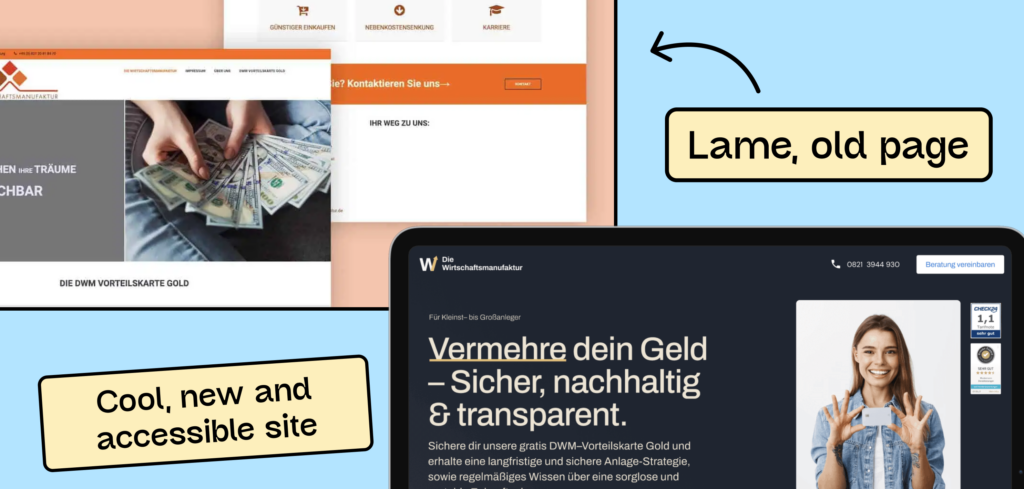
Question 2: Which parts of the page need to be rebuilt?
If a complete website rebuild isn’t necessary, the first step is to identify which pages or components need revision. For small projects, this often involves a combination of minor modifications and the use of accessible plugins (such as contact forms).
If you’re working with WordPress and the Bricks builder, I highly recommend getting Bricks Extras and Frames. Bricks Extras provides many features that already incorporate accessibility (like accessible accordions), and Frames is a library of accessible layout templates.
After 2-3 projects, you should have a list of self-built or collected components that will make the extra work of making something accessible much less daunting!
Before starting any technical overhaul of the website, you should review the design. Ask yourself whether certain decisions, such as using a slider, are necessary at all. Eliminating unnecessary design elements can save you a lot of time and money in the long run.
Accessibility in larger projects
For larger projects where much of the programming is done from scratch, we hope you will work with a design library and approach your design and development in a component-based manner!
If that’s the case, we recommend checking your design library first. There, you should identify any existing or potential accessibility issues. The article about 6 tools for testing designs might be helpful in this regard.
Alternatively, you can find a very helpful checklist for this process in the federal government’s guidelines. These guidelines for designing accessible user interface elements list the most common website elements and what you need to consider to make them accessible. So, if you’re designing a button, you can look it up to see what to pay attention to so it’s also accessible. You can then include these checklists in your task definition (German), for example. The same, of course, applies to development.
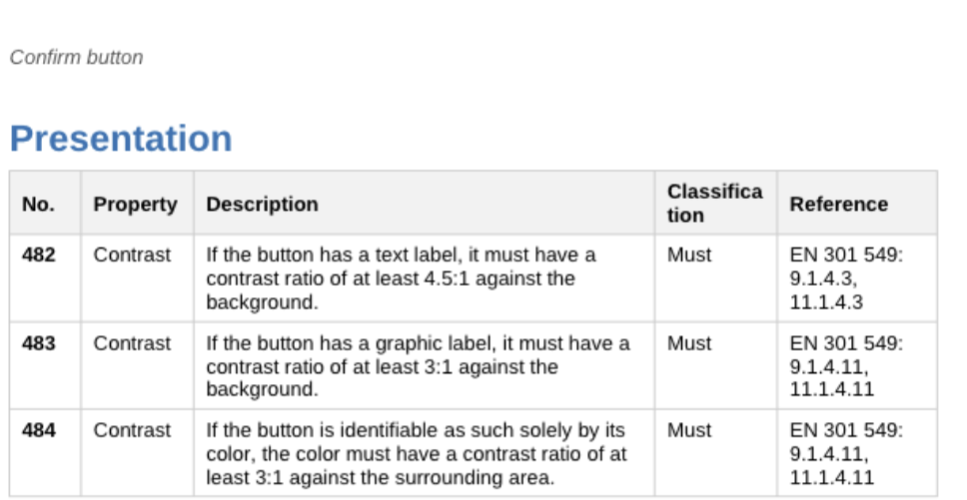
The advantage of component-based work? Once your button is designed and implemented to be accessible, it is very likely to remain accessible.
By the way, I can also highly recommend Manuel Matuzović ‘s book for finding code examples of accessible components. Link to the Accessibility Cookbook.
Checklist for accessibility in large projects
- Create checklists from the federal government’s guidelines (we are working on it!).
- Check the design library
- Checking the development library
- Plan which components to tackle first:
- Priority: based on complexity and time?
- Or, prioritizing: This is part of the sales process and “must” be barrier-free.
- Checking the content (images, videos, etc.)
Write an offer
Of course, you now have to rewrite your offerings a little if you want to offer digital accessibility.
The first tip: Specify in your offers exactly what you mean by digital accessibility. Accessibility itself is a very vague term. Making something truly accessible means anticipating and avoiding every conceivable barrier. This is impossible because we can’t know every single one of our users.
Therefore, we must refer to standards. We would also strongly recommend citing the European standard directly.
Therefore, sentence 1: “We are creating an accessible website according to the EN 301 549 standard”.
The next question is: Can the customer ultimately make any changes to the website themselves?
If the client has a website where they can make their own adjustments, you should clearly define where your responsibility ends. Is your client allowed to change the design colors, install plugins, or add content themselves? If so, I would make it clear that from that point on, your company can no longer guarantee accessibility.
And finally, the question: Do I have to take an accessibility test?
Conducting a digital accessibility test is not legally required. It’s just like with the GDPR: either you comply with data protection regulations, or you don’t. You don’t need a test for that. If someone checks the website and finds it noncompliant, you can receive a warning. The same applies to digital accessibility. You don’t have to get tested. As long as no one tests and finds errors, nothing will happen.
Therefore, you don’t “have to” test it, and certainly not officially, but you should, of course, do so to ensure that you have done a good job and that your customer doesn’t get angry at some point.
Text modules for a quotation template (not legally reviewed and only a recommendation):
Accessibility according to EN 301549
Definition and Commitment: Our offer includes the creation of an accessible website according to the EN 301549 standard. We define accessibility as the comprehensive accessibility of our digital products, especially for people with disabilities. This includes technical and design measures to enable equal access for all users.
Limits of Liability: Please note that our accessibility guarantee only applies as long as the customer makes no subsequent changes. This applies in particular to adjustments to the color scheme, the installation of new plug-ins, or changes to the content made by the customer. Should you make changes that could impair accessibility, we cannot assume any liability for them.
Verification and compliance: Although an accessibility test is not legally required, we recommend regular reviews to ensure compliance with accessibility standards.
Test results
How do you test your work for digital accessibility? Smart people have asked themselves this question many times and developed so-called test catalogs. One example is the BIK-BITV test catalog. This has been used for years to assess the accessibility of public institutions. The test lists all the EN standard criteria that might be relevant. However, for websites, often only the points that begin with “9.” are important. All the others, as mentioned above, are rarely applicable. I would also recommend that you take the BIK BITV test + WCAG 2.2 (Web (German)) right away, as this also covers the WCAG 2.2 criteria.
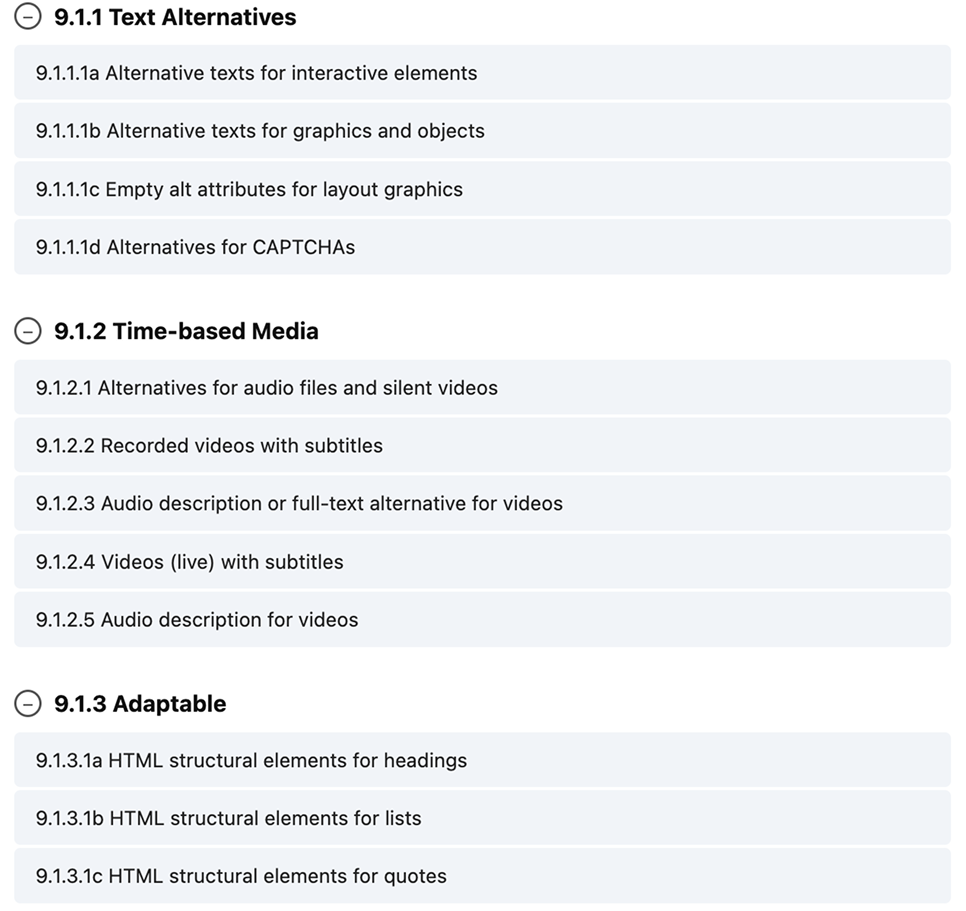
The task now is to select 5-6 subpages of the website with the most features and test them against all listed test steps. The test steps themselves contain instructions on what is tested and how it is tested. While the test steps are quite well described, they can still be a bit complicated if you’re just starting. Therefore, we recommend our testing workshop (German) or our Accessibility Center.
As described in Part 4, you can also test in accordance with the federal government’s guidelines. These guidelines are sometimes more practical because the components structure them. This is simply something you can improve during the process; ultimately, a BIK-BITV test is unavoidable because there are things that need to be tested across the entire site (for example, meaningful page titles).
Conclusion: How to offer digital accessibility as an agency!
Hopefully, this should give you all the knowledge you need to position yourself and your agency properly for digital accessibility. If you still have any questions, please feel free to email us anytime. We’ll answer them as best we can and may even include them here!