What is an accessibility statement?
An accessibility statement is a document (usually a subpage on your website) that describes the accessibility of your website.
An accessibility statement, therefore, includes, among other things, which parts of your website are accessible, which are not, and why they are not.
Nevertheless, your accessibility statement shows potential plaintiffs that you:
- You take the matter seriously
- Actively working on improvements to your website
- You respect the needs of your users
The accessibility information should be a clear, transparent, and helpful explanation that documents your commitment to ensuring the digital accessibility of your website.
This topic is currently extremely relevant and widely discussed (June 2025). Everything you read below mainly relates to the accessibility statement for public bodies.
If you are interested in the private-sector requirements, skip directly to the heading: “Am I required to create an accessibility statement?”
Creating an accessibility statement: What needs to be included?
Below you’ll find a free generator that shows you what your accessibility statement needs to include. However, we want to highlight the most important points here and explain why they’re important! This section is heavily inspired by Karl Groves’ article on the topic. [Link to Karl’s article]
1. The Introduction
First of all, you should clarify what the document is and what it contains.
This might look something like this:
We [Company Name] are committed to ensuring the digital accessibility of our website and related systems to enable contact and customer support for everyone. This document describes our efforts regarding compliance with national laws and international standards for internet accessibility.
This statement contains:
- A description of our past and current efforts towards accessibility
- Contact information for the responsible bodies
- The current conformity status
- Known barriers and alternative routes (where possible) for these barriers
2. Contact information
Following the introduction, include contact information for the most important departments that customers can contact if they encounter problems. There’s no set rule for exactly where this contact information should appear in your accessibility statement. However, placing it as high up as possible demonstrates that you are truly open to customer inquiries.
Depending on the size of your company, you should list contact information for:
- Technical support
- Sales support
- The specific person who is responsible for digital accessibility
Example:
Customers who need help with their purchase can send an email to hilfe@beispiel.de or call us free of charge here: XXXXXX
If you require technical support, you can send an email to support@example.com or call the toll-free number XXXX. You can also find help with frequently asked questions regarding accessibility in our customer forums at https://example.com/support/. Use the search term “accessibility” to find possible discussions about the digital accessibility of our online services.
If you need direct assistance or have questions about accessibility that are not covered here, please send an email to Bernd Barrierefrei at bern.barrierefrei@beispiel.com or call during business hours at XXXXXXX.
These statements shouldn’t just be empty words, though. If you make such claims, you need to provide a point of contact who addresses the needs of customers with disabilities. This doesn’t necessarily have to be a single individual, but it should be a department that responds quickly and decisively to accessibility issues.
Furthermore, you should ensure that your sales and customer service staff are adequately trained and prepared to support customers with disabilities.
We ask that you refrain from making empty promises here, as they neither benefit your reputation nor help your customers.
3. Efforts towards digital accessibility
Next, you should list what you are doing to support your customers with disabilities and improve your accessibility.
[Company Name] launched a company-wide project in 2019 to improve service for customers with disabilities. Here is a timeline of our efforts:
2019
- Inclusion of accessibility in our mission statement
- Conducting two training events for management and executives on integrating accessibility into our processes
- Commencement of bi-weekly empathy sessions for customer service, sales, and technical support.
- Conducting a one-week bootcamp-style training course for employees from the design, development, and quality assurance departments.
- Conducting a third-party audit of 12 key user workflows within our main web presence.
2020
- Conducting two training sessions on accessible PDFs and accessible social media posts
- A three-day on-site course to raise awareness about disabilities in the workplace
- Introduction of an accessibility team that will take care of establishing standards and quality assurance, as well as supporting targeted customer requests.
4. Current conformity status
In the next section, you should describe the current compliance status of your website.
Our latest accessibility audit identified 40 errors on this website that affect our compliance with EN 301 549:
- 20 problems were fixed, retested, and verified by the same company that conducted the audit.
- Twelve issues have resulted from third-party widgets manufactured by Company X. We have informed you of the review results on your code and have given you until the end of the year to resolve the issues; otherwise, we will seek an alternative solution.
- Eight problems remain unresolved. They are listed in the following sections (Known Problems). Possible solutions are indicated.
The most important thing here is to be honest and accurate. The last thing you should do is claim conformity that doesn’t exist.
Show transparently where you stand and that you are making positive progress in improving the experience of customers with disabilities. Of course, you must then actually implement the improvements you claim to be making.
5. Known problems and possible workarounds
Finally, you should document the barriers your website still faces and the options available to overcome them. This helps people quickly find solutions to their problems and shows that you are genuinely committed to helping people with disabilities use your website.
Therefore, for each serious barrier, provide users with clear information on how to deal with it.
This could look something like this:
Error messages in forms:
The forms on our website display error messages that are not programmatically linked to the forms themselves. Furthermore, these error messages are not automatically read aloud. After submitting the form, a screen reader user may need to navigate using the navigation keys to find the error or search for the word “error” to locate the message. We are in contact with our provider to resolve this issue.
PDF documents:
Our PDF documents created before 2021 are not fully accessible. If you require a specific PDF file from us that is not yet available in an accessible format, please let us know via our contact form. We are working to make all of our PDFs accessible.
By documenting known problems and their solutions, you demonstrate that you and your team are aware of the challenges users might face and how they can (or sometimes cannot) overcome them.
So how do I create such an accessibility statement?
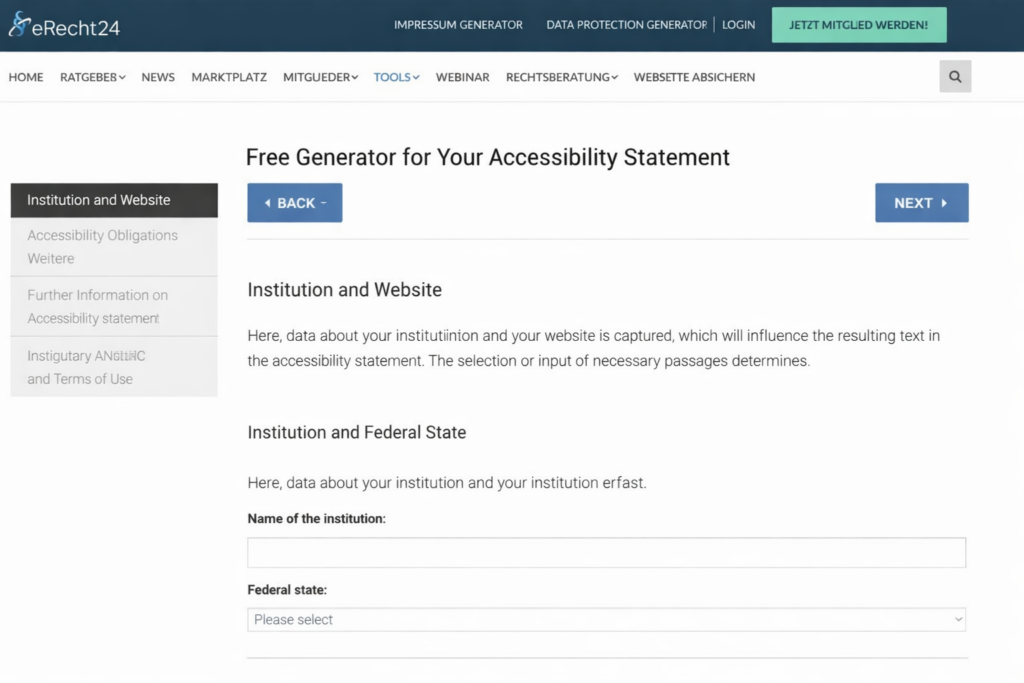
The easiest way is to use the free generator from e-recht24! It asks you all the important questions and even shows you what information is optional and what is not. Click here for the free accessibility statement generator (German).
Update from 2025: There is now also a generator for businesses. However, it can only be found if you are logged in and have a Pro account. And here too, you have to pay extra to use the generator.
Am I required to create an accessibility statement?
Public bodies:
A brief lesson on European and German law: In 2016, the European Union stipulated that its member states must adopt laws on digital accessibility.
Germany passed nationwide laws on this matter on September 23, 2020. These laws obligate public bodies to make their websites accessible. In addition, an accessibility statement must be created and kept up to date.
This policy applies to all digital offerings from:
- Federal and state public bodies
- Municipalities
- Private companies that offer facilities or services open to the public or required to be provided to the public. (Example: municipal transport companies or hospitals.)
For businesses:
For businesses, the Accessibility Strengthening Act (BFSG), which comes into force on June 28, 2025, is relevant. Annex 3 of the BFSG (German) provides insight into what should be included in “Accessibility Information.” It states, rather cryptically:
The service provider, in accordance with Section 1 Paragraph 3 (German), indicates in its general terms and conditions or in another clearly perceptible manner how its service meets the accessibility requirements of the statutory instrument to be issued pursuant to Section 3 Paragraph 2 (German). The corresponding information includes a description of the applicable requirements and, insofar as relevant to the assessment, the design and delivery of the service. In addition to the requirements for consumer information pursuant to Article 246 of the Introductory Act to the German Civil Code, the information includes, insofar as it relates to:
- A general description of the service in an accessible format;
- Descriptions and explanations necessary for understanding how the service is performed;
- A description of how the service meets the relevant accessibility requirements listed in the statutory instrument to be issued pursuant to Section 3, Paragraph 2 (German); the name of the responsible market surveillance authority.
One can at least infer that one can document one’s efforts in one’s terms and conditions – or elsewhere. And also that one must describe how one has met the accessibility requirements.
But how exactly is that done? There are now a few practical examples, but they aren’t really helpful, as no one is 100% sure yet.
Nina Gerling has written a wonderful article about what this can look like. Here’s the link to Nina Gerling’s article on accessibility information (German). However, I’ve also heard from lawyers that the information described in the blog post is excessive and could make one vulnerable to legal action.
The only thing one can really say about it is:
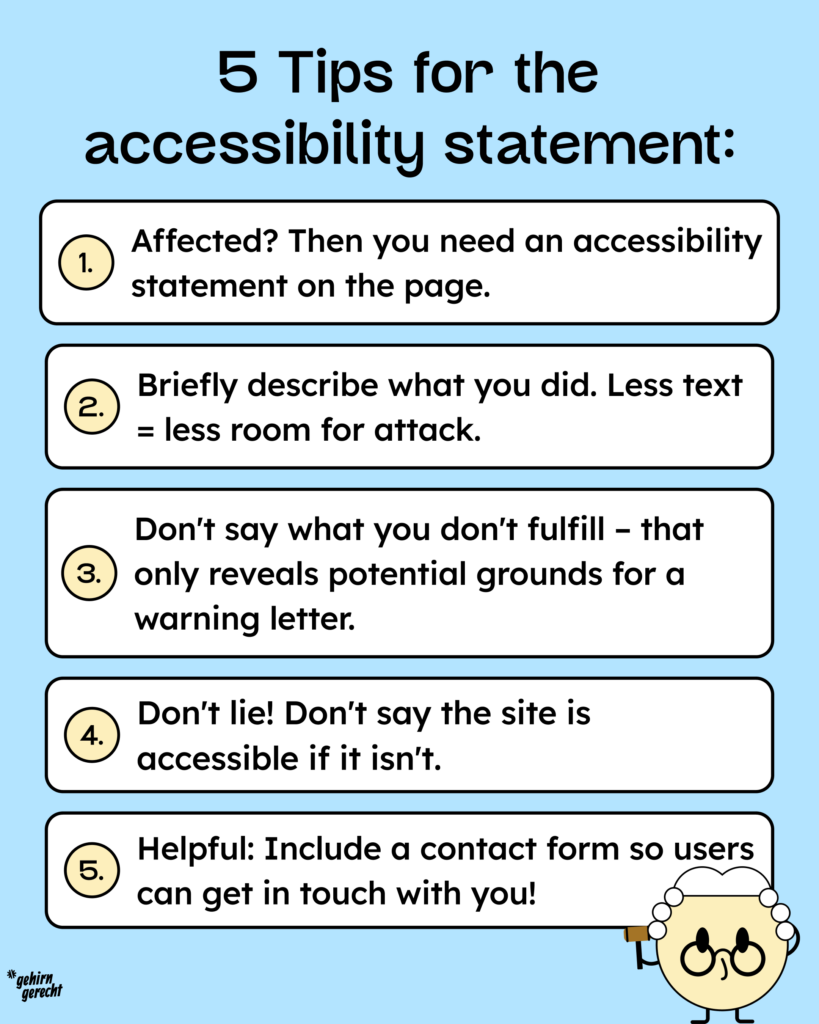
- If you are affected, there should definitely be information or an explanation about accessibility on the website.
- You should describe what you have already done. However, keep it very brief to avoid legal issues.
- Don’t list the criteria you don’t meet. That only provides unnecessary grounds for legal warnings.
- Don’t lie and don’t claim to be completely barrier-free if it’s not true.
- Very useful (and also valuable from a human perspective): include a contact form so that users can report any barriers they encounter.
We held a webinar with a lawyer on this topic on July 1, 2025. You can find the recording here: BFSG – Questions and Answers with a Lawyer
Conclusion
Your accessibility statement, or accessibility information, should help people understand the state of your website’s digital accessibility. However, the legal situation is currently so unclear that providing such information is rather risky.
Nevertheless, we recommend enabling people with disabilities to contact a designated point of contact if they encounter problems on the website, so these can be resolved.