What is an accessible website?
In short: A website is considered accessible if everyone can use it – regardless of their physical or mental abilities. But what does “everyone” mean? Is that even possible? And what exactly do I need to do to achieve that? We’ll answer these and all other questions related to digital accessibility and the upcoming legislation right here!
Why does my website need to be accessible?
According to a WebAIM study on accessibility,, over 95% of all websites are not accessible, or more precisely, not WCAG-compliant (what is WCAG? We’ll get to that later!). This means that at least 16% of people cannot shop online, watch the news, or check what their crush is up to on social media. Things that you and I really don’t want to do without, right? Because, according to the WHO’s Disability Report,, approximately 16% of people have a significant disability. However, the percentage of people who encounter barriers daily is far higher.
Imagine the doctor’s office you’ve been going to for 20 years is no longer reachable by phone. Instead, they offer online appointment booking. You don’t have a laptop, and you’re at war with your smartphone. Nevertheless, you’re proud of your doctor’s website! Unfortunately, the appointment form isn’t labeled properly, and you have no idea how to enter your date of birth: 9.5.1955? May 9, 1955? 09-05-19… Every attempt ends in an error message. After visiting the website, you’re still sick, and on top of that, really angry.

There are numerous examples of barriers that make our online lives difficult. Without barrier-free internet access, we not only lack access to services and knowledge, but we are also excluded from an important part of social life.
An accessible website ensures access. It makes it possible for everyone to perceive everything on the site, regardless of how they want to do so or what their senses are. You can make your website audible, visible, and even tactile!
Legal basis
The Accessibility Strengthening Act (German) (BFSG) will come into force in Germany in June 2025. This means that from this date onwards, your website must be accessible according to the European standard EN 301 549 if any of the following criteria apply to you or your company:
- (digital) service
- with over 10 employees
- with over €2 million in annual revenue
- Sale of products
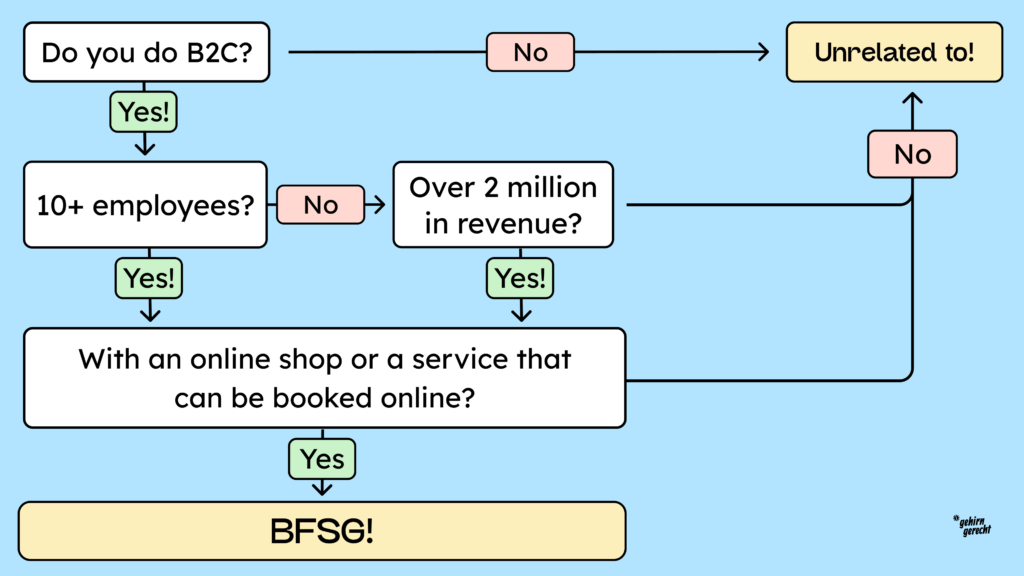
This only applies if your offers are for customers. Business-to-business is excluded. The applicable European standard is based on the Web Content Accessibility Guidelines (WCAG). You can find out more in our article on WCAG.
Of course, it’s possible that none of this legally applies to you (but be careful: even if you work for companies that are required to comply with the German Federal Data Protection Act (BDSG), you still bear a certain responsibility!). However, accessibility is much more than just a legal obligation. It improves the user-friendliness of your website, opens up a larger market, and, last but not least, helps ensure that no one is excluded!
Who needs accessible websites?
Let me say something right off the bat: Accessibility is important for everyone! It saves time, reduces stress, and makes users happy. And happy users are what we want, right?
All included!

To make everyone happy, we need to look at who ” everyone ” actually is. Unfortunately, a large segment of the population is often overlooked online:
Approximately one in ten people in Germany has a severe disability, which corresponds to roughly eight million people. Only 3% of these people have been turned off since birth. 97% of disabilities develop later in life due to accidents, illnesses, or age-related changes.
The likelihood that you yourself will one day be disabled or at least impaired is therefore very high. In any case, you will know someone who relies on accessibility.
In addition, there are situational impairments, which you are surely familiar with. The following table lists different types of disability and impairment, which will hopefully help you understand for whom you are making your website accessible:
| Affected sense | Permanent | Temporary | Situational |
|---|---|---|---|
| See | blindness | Cataract | blinding light |
| Hear | deafness | Ear infection | noisy environment |
| Speak | Be nonverbal | Sore throat | foreign language |
| Touch | Missing arm | Broken arm | baby in arms |
As you can see, there are many reasons why someone might have limited participation in digital life. That’s why it’s important for us to always keep in mind: Accessibility helps everyone!
How can disabled people even use the internet?
Assistive technologies exist for this purpose. They make both computers and the internet accessible to people with disabilities. However, this only works if your website is accessible.
For blind people, there are screen readers, for example. This software can sort and read content. The following video shows exactly how this works: Nina Schweppe continues the discussion here, demonstrating how blind people experience a website with a screen reader.
If you cannot perceive texts visually, you may be able to read them using a Braille display. This is connected to the computer and translates the text into Braille using small, tactile pins.

People with impaired vision, on the other hand, often use a screen magnifier to enlarge text and images. You can see what that looks like in this article about browsing with a screen magnifier (opens in a new tab).
The three technologies mentioned require completely different prerequisites on a website!
Another example is the sip-and-puff switch for people with paralysis or neurological diseases such as ALS (amyotrophic lateral sclerosis). It works a bit like a straw. You blow or suck on it, and the device detects the air movement. This is then converted into a click. With special software, you can control the mouse and keyboard this way.
Today, clicks can also be made via eye tracking. The technology detects where you are looking and triggers an action there. For example, you can like a post just by looking at it.
As you can see, there are many helpful tools for experiencing online content in various ways. This makes it all the more important that our websites are compatible with them.
Benefits of accessible websites for companies
Hopefully, by now you’re completely convinced that accessibility is a great idea! Now you just have to convince others to loosen the purse strings! If that’s you, keep reading anyway. It’s still helpful.
If not: It’s not that simple. When it comes to money, inclusion is unfortunately often not a sufficient argument. But don’t worry. More reasons why it’s worth investing in an accessible website are as follows.
Accessibility and SEO
Accessibility and SEO are closely linked. Making your website accessible also improves your SEO. Clean HTML structures, optimized images with alt text, and accessible videos help with this. They make your site accessible not only to people with disabilities but also to search engines.
An accessible website can increase dwell time and lower the bounce rate. Search engines like this, and it improves your ranking.
A study by Accessibilitychecker.org and Semrush shows that accessibility can increase organic traffic by up to 50%. You can find more information in the study on the impact of accessibility on SEO (opens in a new tab).
Revenue and reach
If your website isn’t accessible, you lose up to 20% of potential customers who can’t use it. A Microsoft study (opens in a new tab) shows that this can result in significant annual revenue losses. Making your website accessible can immediately expand your target audience and is often more cost-effective than other conversion optimization measures.
Another important point is that relatives of people with disabilities avoid companies that exclude their loved ones. Additionally, as you’ve already read, many people develop a disability at some point in their lives. Therefore, you risk losing long-term customers
Brand image
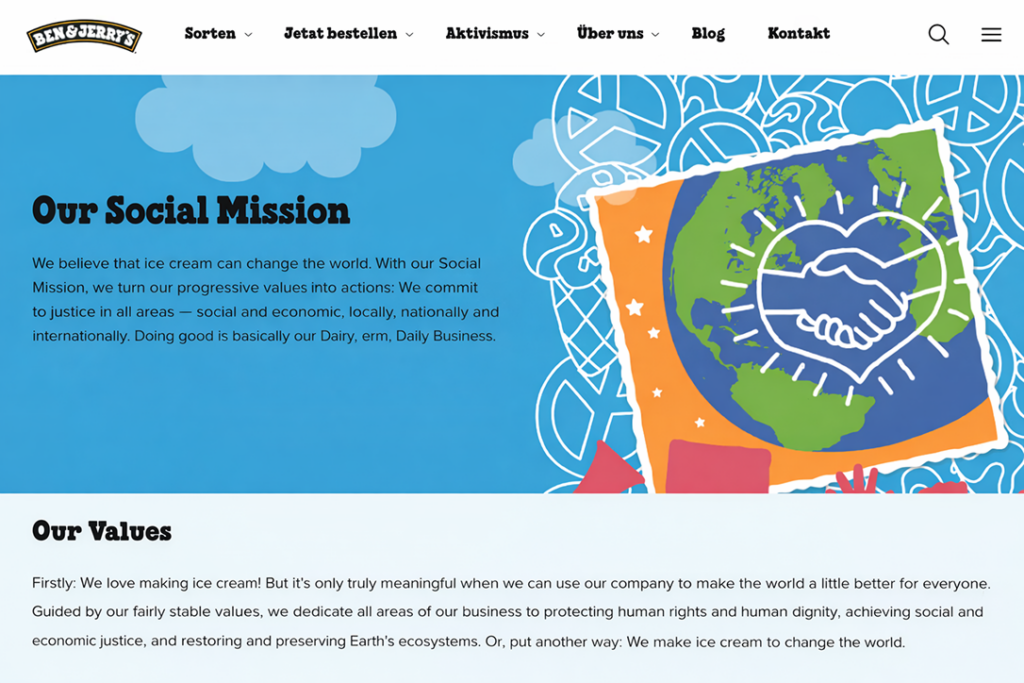
Switching to an accessible website not only improves your target audience but also your brand’s image. Customers and employees are looking for companies that take responsibility. Brands like Tony Chocolonely (German) (opens in a new tab) or Ben & Jerry’s (German) demonstrate how appealing social inclusion can be.
People as a unique added value
Previously, companies focused on efficiency, meaning fast and easy production. People who weren’t strong or fast were excluded. Today, there’s more room for intellectual work and creativity. Strategy, conception, and creative implementation are crucial for standing out in a crowded market.
For the future, companies need more innovation. This arises when people from diverse backgrounds work together. Different perspectives lead to new solutions and contribute to continued success.
What does this have to do with your website? It’s your calling card! Future customers, colleagues, and employees will find you through it. Make it clear from the start that you want to be part of an innovative, inclusive future and bring everyone on board, along with the enriching resources they bring!
How do I find out if my website is accessible?
First steps
Several indicators quickly reveal whether a website is accessible. For example, try “tabbing” through a page using the Tab key. If no frame appears around the elements (focus frame) to show your position, you’ve encountered your first barrier.
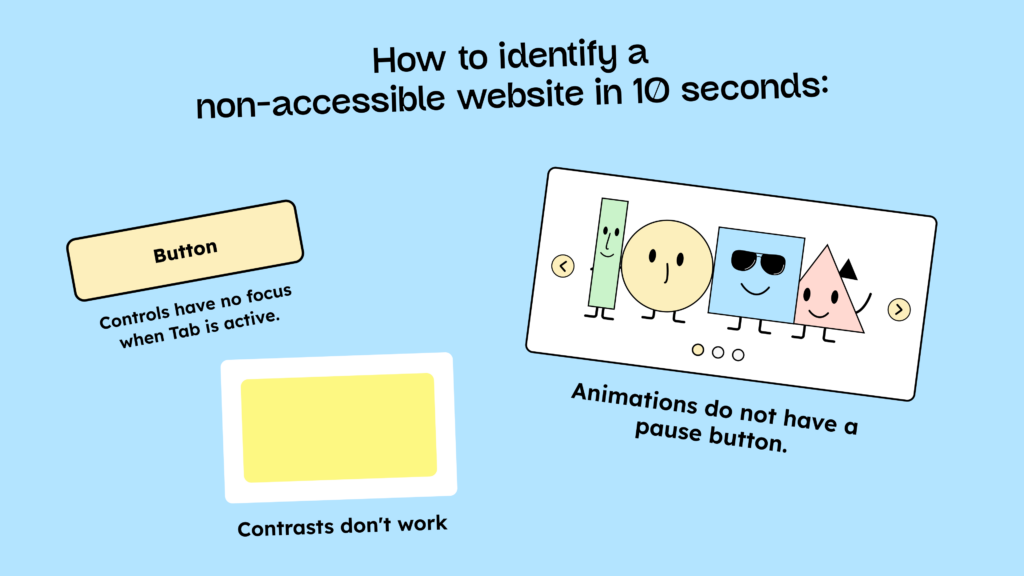
Sliders or other moving images can give you another clue. Anything that moves for longer than 5 seconds needs a pause or stop button. Doesn’t have one? Barrier number two!
A third clue is the page’s contrast. Numerous tools exist to determine if a website’s contrast is accessible. However, for an initial assessment, you can also trust your eyes. Simply looking at many pages often reveals whether attention has been paid to contrast. (Note: If it hurts your eyes or you have to squint to see anything, that’s not a good sign!) If the contrast is insufficient, you know: barrier number three.
You can find more signs of an inaccessible website (German) in our blog article.
Test it yourself
If you’d like to delve even deeper into the topic, you can also test your entire website for WCAG compliance. However, this can be quite a challenge for a beginner. Our WCAG criteria can help you with this!
There are also various ways to check whether your website has any accessibility barriers. You can use tools like WAVE (opens in a new tab) or, for example, create an Excel spreadsheet and work through the BIK BITV testing step by step (German) (opens in a new tab). You can find more details in our blog article on accessibility testing.
Get tested

If this approach is too time-consuming for you, you can also have your website tested for accessibility. Organizations like BIK (German) (opens in a new tab) offer this service. They essentially approach it the same way you would, working their way through your website step by step using a set of criteria. Therefore, this service is very time-consuming and correspondingly expensive. Currently, there is no AI-powered method that is completely sufficient for this type of testing.
Do I need to test my website for accessibility?
Yes and no. Unfortunately, we can’t give you a definitive answer here, as it’s not yet clear how the BFSG (Federal Law on the Protection of Victims of Violence) will be implemented. We need accessibility documentation, but how exactly it will be done is still unknown. We recommend that companies, like public bodies, publish an accessibility statement on their websites. This statement must include when and how a page was tested.
Before you test your website for accessibility—especially before having it professionally tested—you should first identify and fix existing barriers. Testing is expensive, and if nothing has been done to address them, you’ll have to undergo multiple tests to eliminate all the barriers. The more your team knows and the more barriers you can fix before testing, the more likely it is that you’ll only need to have the entire website tested once.
To better assess what needs to be done (and to save money!), you and your team should receive training. Learn about accessibility and remove initial barriers yourself. This will reduce the risk of receiving a warning and shorten the time required for service providers you hire.
The final decision of whether to get tested or test yourself is up to you. Testing by a certified testing center offers only limited security, as these centers are private companies and cannot guarantee legal protection.
An accessibility certificate is only valid for one year. After that, you would need to hire someone to retest your site. Therefore, there is no real guarantee of long-term accessibility. You can find more information about certifying your website in this article.
Accessible websites in the wild
Accessible websites in the wild
That sounds good in theory, but has anyone actually implemented it successfully?
Absolutely! Admittedly, it’s not particularly clear which website is 100% accessible. And defining what 100% accessibility even means is difficult. Because in reality, it’s probably impossible. Users are individuals, and so are the barriers they face. The key here is the journey, and a few brands have already set an exemplary standard on this path!
Ikea

TheIkea online shop (opens in a new tab), for example, is keyboard-operable, the animations can be paused, and the contrast is sufficient. As we’ve learned, that’s a very good sign!

Errors are not only signaled by color, but also explained with both an icon and text.
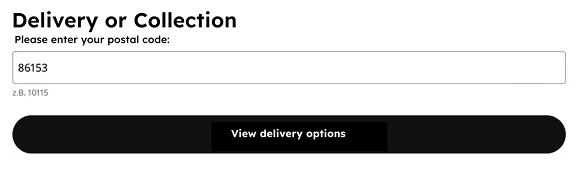
Input fields are clearly labeled and even include an example so that all users know what to do.
Overall, Ikea does a lot of things right. Feel free to browse around and see for yourself!
Bremen Job Center

The Bremen Job Center (German) (opens in a new tab) also does a great job (pun intended) with accessibility! We particularly like the clickable cards, which clearly show where to go and the site’s general structure without seeming stiff or boring.
Colors are for everyone
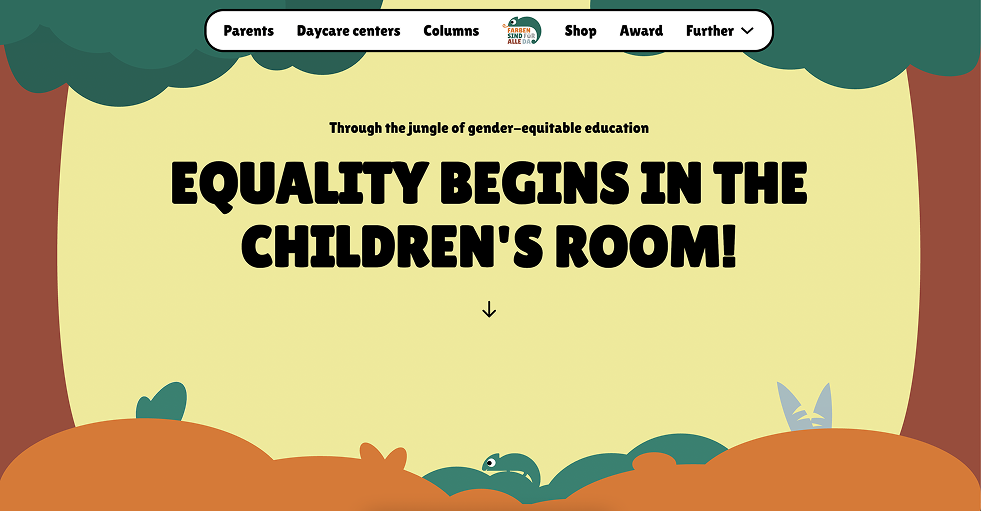
The accessible website of the initiative “Colors are for everyone” (German) (opens in a new tab) is anything but boring. We’re proud that we implemented it ourselves and tested and reviewed it until we were no longer aware of any barriers according to WCAG 2.2 AA (if you do find one, please let us know).
This page is a great example of how accessibility doesn’t have to look boring at all! And even though the given color palette initially presented a challenge, we’ve once again realized that there’s always a solution! Here you can see, for example, that dark text is used on light maps and light text on dark maps. This ensures the correct contrasts and aids readability.

You can find more examples of websites that have already implemented accessibility in a commendable way in our blog article, “Accessible Website – 5 Examples That Show How It’s Done”.
How do I start making my website accessible?
“Okay, okay, these are truly beautiful pages, I’ll join in!” – We are delighted and want to give you a starting point right away, before the initial feeling of being overwhelmed sets in.
First steps
To implement accessibility, you need to understand the underlying reasons: we’ve already discussed why and for whom. The first, crucial step is to engage with the topic. Only by understanding the problem can you understand and implement the solution. Train your team as well, because accessibility is everyone’s responsibility. Your developers, designers, and content creators should all be familiar with it.
Implementation
“Problem understood, give us the solution!” – Wonderful, depending on whether you’re starting from scratch or already have a website, the next steps are as follows:
Suppose you don’t have a website yet, all the better. Accessibility is always best considered from the very beginning. It’s easier (and ultimately cheaper) if the design and development are already based on an accessible concept. Are you just starting and want to know how to build an accessible website? You’ll find 103 tips for getting started with digital accessibility in our blog article!
We develop our accessible websites with WordPress and Bricks. Of course, there are other options, but we’ve had very good experiences with these. Especially if you want to use a CMS, you should play it safe from the start and research beforehand whether it can even create accessible content. On our blog, you’ll also find a step-by-step guide to building an accessible website.
Do you already have a website? Then it’s important to understand where the obstacles lie and how you can overcome them. Before you commission a large, expensive test, troubleshoot and fix the errors you find yourself. You can always bring in a second instance for testing later. The important thing is to persevere.
Every change to your website carries the risk of introducing an accessibility barrier. A trained team minimizes this risk. Repeated testing and improvements keep your website accessible.
Win accessible websites!
To sum up: Digital accessibility is a real door opener for new customers, new talent on your team, and more SEO traffic! It’s definitely worth exploring this topic. Aside from the fact that it may be legally required, there are many arguments in favor of digital accessibility – above all: inclusion for everyone.