The most important points in brief:
- B2C online shops must make their sales processes digitally accessible (sales pages) by June 28, 2025. There is an exception for micro-enterprises.
- To be digitally accessible, one must implement all the criteria of EN 301 549.
- Digital accessibility tests are not worthwhile at the beginning.
- Accessibility is the new responsive design: it’s here to stay and must be integrated into your processes. The best approach is therefore to train your team (design, development, and content).
- Start with the easy tasks today.
- New shop? Start planning for accessibility right from the beginning.
Legal situation: What do I need to make accessible in my online shop?
The Accessibility Strengthening Act (BFSG) comes into force on June 28, 2025, obligating private companies to ensure digital accessibility. From this date, every digital presence that offers electronic business transactions must be accessible.
But what exactly does “electronic commerce” mean? That’s sometimes debatable. However, for an online shop, it should be relatively self-explanatory. Here, you electronically exchange your money for a product or service (sometimes even for a dream, if you buy Bitcoins).
Anyone still struggling to imagine what this entails should simply click on this PayPal link (German) and transfer us some money. This way, you can gain practical experience in what it means to spend money via electronic transactions! (That was a joke… or was it? (Seriously, please don’t transfer any money there, or we’ll be in serious trouble with our accounting department…))
Does every online shop really need to be made accessible?
Not quite. Even though we might wish it were otherwise, there are exceptions:
1. The law only applies to the B2C sector. The BFSG deals exclusively with consumer contracts (B2C). B2B transactions are excluded.
2. There are exceptions for micro-enterprises. But who qualifies as a micro-enterprise?
- Option A: A company that sells craft supplies online and has 12 employees.
- Option B: A company that sells craft supplies online has 6 employees and generates 1 million in revenue.
- Option C: A company that sells craft supplies online and generates 2.4 million in revenue.
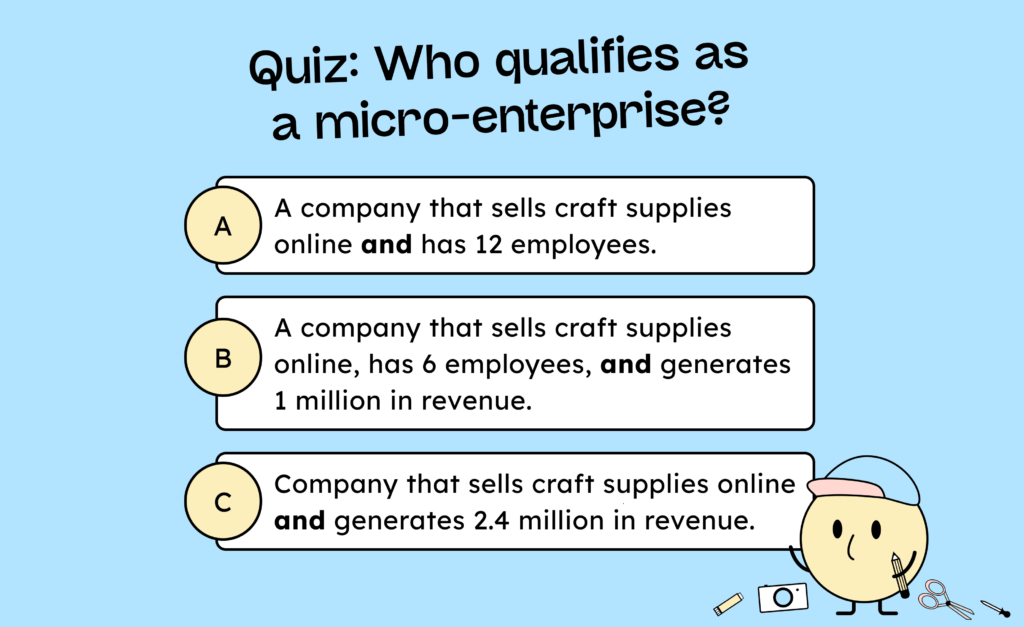
The correct answer is B. The German Federal Social Security Act (BFSG) defines micro-enterprises as companies with fewer than 10 employees and a turnover of less than €2 million. Both criteria must be met for a company to be considered a micro-enterprise and thus exempt from the law. If either of these conditions is exceeded (e.g., having 12 employees), the company no longer qualifies as a micro-enterprise.
Incidentally, if the company only manufactures craft supplies and doesn’t sell them online, it would be in the clear. Craft supplies as products are not subject to the German Federal Funding Act (BFSG) per se. If the company doesn’t sell its craft supplies online, it isn’t conducting digital business and therefore doesn’t have to make its website accessible.
Small startups can breathe a sigh of relief. However, we advise against taking this lightly. If you have 7 or 8 employees and are planning to grow, it wouldn’t be a good idea to launch a new online shop that isn’t accessible. This could become a significant growth inhibitor when you reach 10 employees. Therefore, we recommend thinking about this early on, even if you’re still small. (And of course, we’re keeping our fingers crossed that your business flourishes!)
Does every page of my online shop now need to be made accessible?
Well, that’s a tricky issue. Opinions differ somewhat on this. Legally, it’s required (and often interpreted that way by our large clients) that only those pages of an online shop that deal with the conclusion of consumer contracts need to be made accessible.
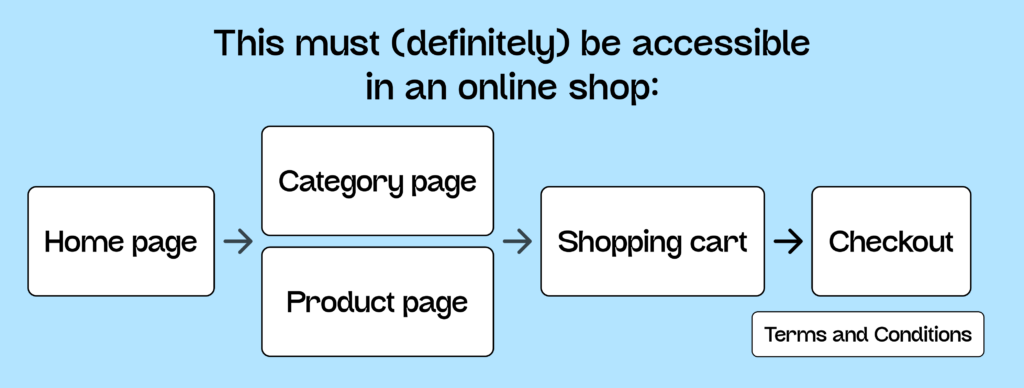
In a typical online shop, that would be:
- The homepage
- The category page
- The product page
- The shopping cart
- The check-out
- And the terms and conditions
If you also offer a product configurator that lets customers assemble their own product or customize it to their needs, this must, of course, also be accessible. And, well, everything else you come up with as a “sales channel”.
Hot insider tip: Newsletter subscriptions also count as a contract and therefore must be made accessible!
If you currently have an additional careers page or a purely informational blog on your online shop, these pages are, according to the assessment and statements of many corporate legal departments, not affected by the law. Nevertheless, it’s always a bit of a gamble: What if your blog does contain a link where someone can book a flight or buy a product? Is the entire blog post then considered a sales pitch? We would argue, yes.
We recommend making the entire shop accessible. Once you’ve addressed the pages mentioned above, there really isn’t much functionality left to make accessible. Making a blog accessible isn’t a big undertaking at all.
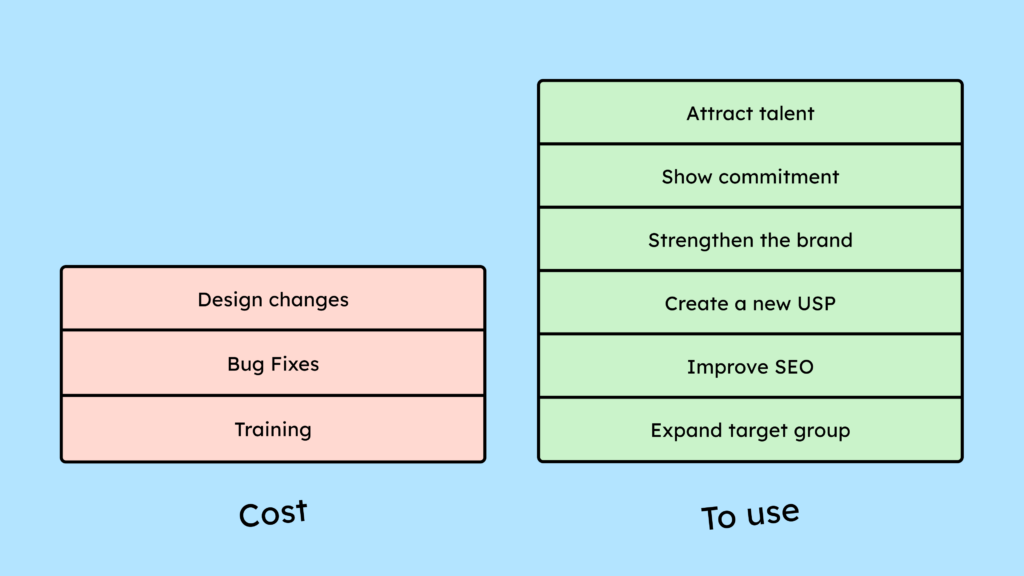
Furthermore, one should consider what one wants to achieve with accessibility. Is it simply to comply with legal requirements, or does one perhaps want to attract more users? Doing only the bare minimum will not lead to good usability of online shops for people with disabilities, and all the other advantages (German) of digital accessibility will be rapidly lost.
I use Shopify and other plugins – what about third-party tools?
Well, according to the law, one is not responsible for “third-party content on digital services that is neither financed nor developed by the owner, nor under their control .” At the same time, it states: “Third-party advertising (banners, pop-ups, etc.) and third-party applications (cookie consent tools, interactive functions) are expressly excluded from these exceptions because the shop owner has control over them.” (Source (German))
In my opinion, this is quite understandable in the case of advertising. However, I’m skeptical about the cookie tool. In principle, I can always choose which systems and plugins I use and thus always have “control.” We recommend that users check whether their plugins or systems are accessible – or claim to be – when choosing them.
According to the lawyers we spoke with, the information provided by the tools should be reliable. Furthermore, it is not the user’s responsibility to check whether a plug-in remains accessible after each update.
So, if you can prove that the tool claims to be accessible (which many are loudly proclaiming), you’re on the safer side.
Okay, okay, I’m affected! How do I make my online shop accessible now?
To be accessible, your online shop must meet all the criteria of EN 301 549. That’s a manageable 86 criteria! Of these 86, approximately 56 are part of the WCAG (Web Content Accessibility Guidelines). The other 30 criteria of the European standard are rarely applicable to a typical online shop.
In our article on EN 301 549, you can learn a little more about the connections. In short: First, make sure you become WCAG 2.2 compliant. (The regulation still references 2.1, but it’s more future-proof to go straight to WCAG 2.2.)
On our WCAG criteria page, you’ll find an overview of these criteria and what they require. Some are quite simple, like: “Sound that plays automatically on the website must be pauseable” (a blessing for all users!). On the other hand, they also cover more complex topics, such as “Your entire website must be keyboard-operable.”
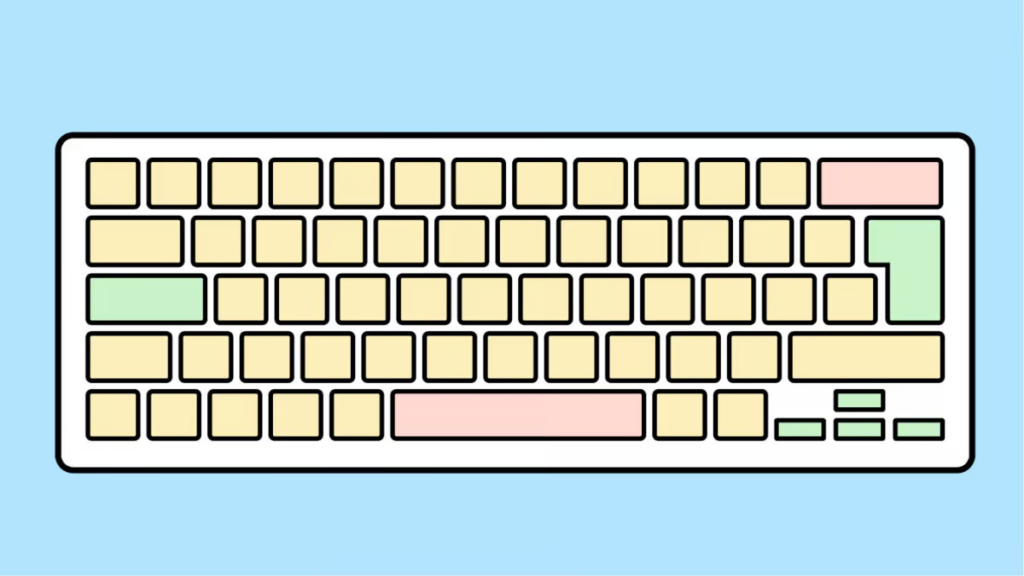
Before we discuss how you can make your shop meaningfully accessible according to the criteria, let’s first clarify the following question:
Should I have my online shop tested for accessibility?
The first thought of many business owners or project managers is: “I want to have the shop tested first to see exactly what I need to make accessible.” That’s why we regularly receive requests to test shops for digital accessibility. However, these tests are quite expensive and unnecessary in 98% of cases.
Because we’re nice, it’s our explicit company policy to tell you, free of charge, that your online shop is very likely not accessible. A test will tell you the same thing, for only about €3,000 to €5,000. (Of course, you’re still welcome to transfer the money using the PayPal link above for “consulting services”!)
A test will usually list 47.8 criteria that you fail. But you would have discovered this if you had simply reviewed our WCAG criteria. A comprehensive accessibility test – at least at the beginning of the process – isn’t very helpful. Testing only makes sense after the site has been redesigned and you’re more or less certain that you’ve addressed all the issues. Running a test beforehand only results in running it at least 2 or 3 times, wasting several thousand euros in the process.
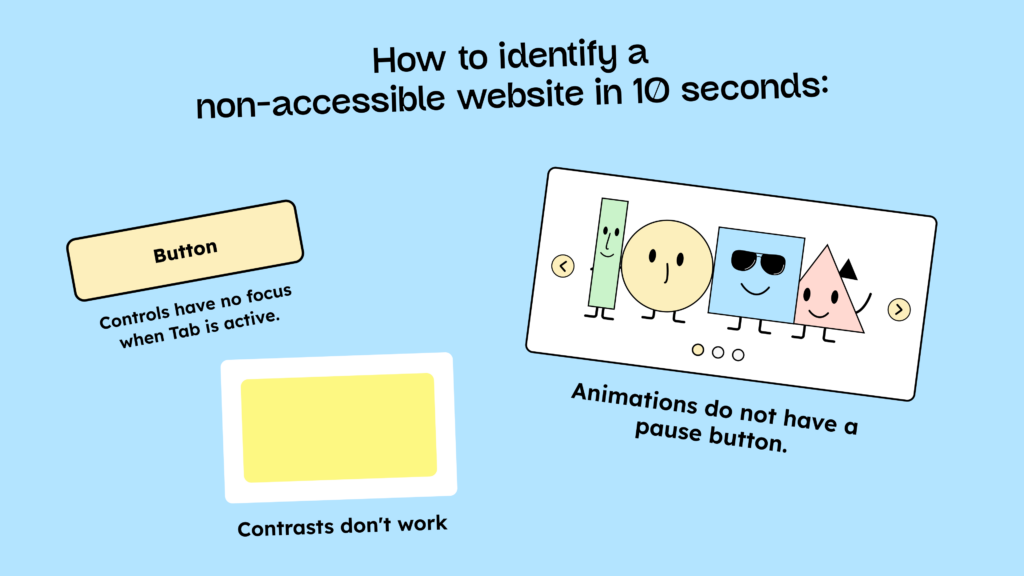
However, a quick accessibility check (German) is helpful. In a quick check, approximately 10-15 criteria are tested to identify the major weaknesses. This is particularly helpful for product managers and the team in making a meaningful cost estimate. Such a quick check only costs around €800.
Okay, no test at the beginning, so how should I proceed?
Instead of investing money in testing, you should train your team. There’s no way around it; your team needs to understand what accessibility means. Digital accessibility isn’t a project you can just finish. By mid-2025, your online shop must be accessible and remain so.
Just as with responsive design, work processes need to be adapted, and each trade needs to understand what it needs to do to integrate digital accessibility into its work processes.
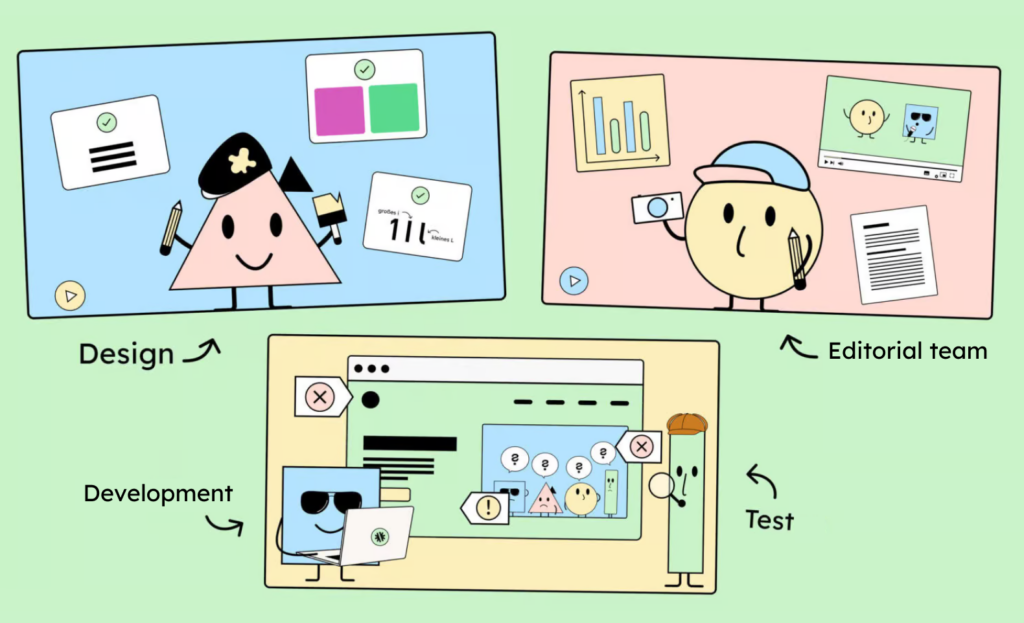
Designers need to understand the principles behind accessible design and know how to integrate accessibility into a design system and UI design from the outset. Developers need to be familiar with semantic HTML (German), the Accessibility Tree, and ARIA. And editors need to know how to integrate media (such as images) into a website in a way that makes it perceptible across multiple senses (for example, by using alt text).
Only once the basic knowledge is in place does it make sense to examine the criteria in detail and test your own website for accessibility. It’s usually not helpful for developers to simply tell them that a screen reader cannot read the state of an expanded menu. If the developers don’t know what a screen reader is or how to solve the problem using ARIA (German), then knowledge about the issue is useless.
That’s why we recommend starting with training. Knowledge not only helps you identify mistakes, but also prevents you from making new ones! We know a great company that offers training. But even on your own, using our blog and other online resources, your team can get very far.
While your team acquires the necessary knowledge, your own online shop will likely be examined, and a few problems will be found. Then the question often arises:
Which digital accessibility issues should we address first?
To be legally compliant, your online shop must meet all the criteria. Therefore, it doesn’t really matter where you start.
Furthermore, it is generally difficult to prioritize criteria according to “importance .” Different criteria are important for different disabilities. Would one want to optimize for a blind person rather than a deaf person? A tough call to judgment.
What we can offer, however, is a prioritization based on “difficulty” and “duration.” Some criteria are generally easier and faster to implement. For example, making the sound on a website mute (or simply turning it off) is quite simple and quick. Making the entire website keyboard-operated, on the other hand, is quite difficult and time-consuming.
The easy and quick criteria are, so to speak, the “quick wins” or “low-hanging fruit.” These are suitable for achieving initial, rapid successes! Nevertheless, there’s no getting around adding the more challenging tasks to your list.
Here are a few points that many people start with:
| Task | Easy to implement? | Quick to implement? |
|---|---|---|
| Adjust the colors so that they meet the correct contrasts (German). | Yes | Yes, if management doesn’t fight back. |
| Add alternative text to images | Yes | It depends on the number of images. |
| Add subtitles to videos | Yes | It depends on the number of videos. |
| Make all interactive elements (buttons, links, etc.) operable via keyboard. | No | No |
| Remove animations (German) from the website or make them pauseable | Yes | Yes |
| Correctly mark up the language in HTML | Yes | Yes |
| Add a visible keyboard focus | Yes | Yes |
After our workshops, the teams usually have many ideas about what they want to tackle. They should then implement these ideas first. Only after they feel they have covered a lot of ground with our WCAG overview or the BIK-BITV test steps (German) should they consider a full test.
How do I test my online shop for accessibility?
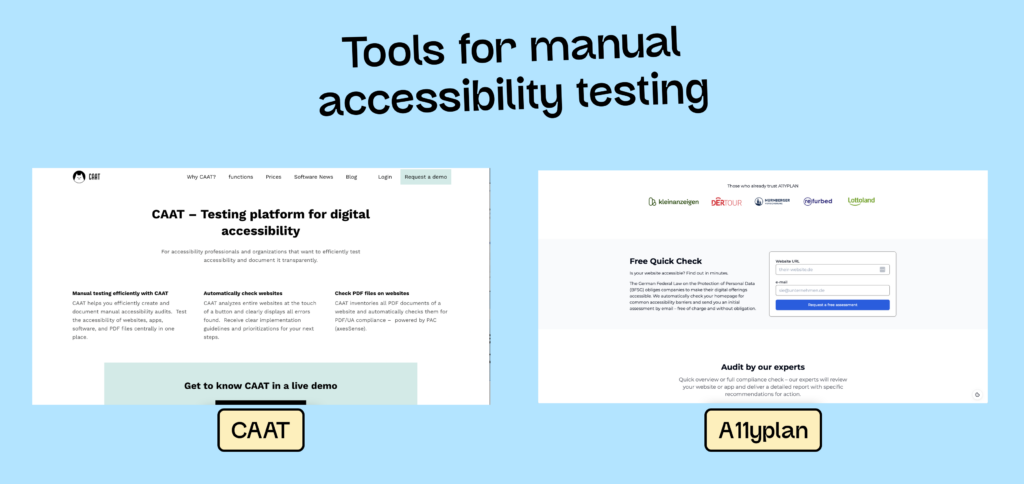
Manual accessibility testing is essential. This testing can, of course, be done by professionals (you know who I mean!), or you can do it yourself. Tools like a11yplan (German) or CAAT (German) can help with this. They guide you through the manual testing process and provide helpful tips along the way. We’ve also compiled an overview of the best testing tools (German).
Conducting a digital accessibility test is not legally required. It’s just like with the GDPR: either you comply with data protection regulations, or you don’t. You don’t need a test for that. If someone checks the website and finds it noncompliant, you can receive a cease-and-desist letter. The same applies to digital accessibility. You don’t have to test yourself. As long as no one else tests it and finds errors, nothing will happen!
We have compiled more information on testing, both during and after development, in our detailed article on accessibility testing (German).
I’ve told you a lot about what you can do if you already have a shop. But what about developing a shop from scratch?
New online shop: Here’s how to make it accessible from the start!
Even for a new shop, it’s essential to train your team first. Only then can they consider accessibility from the outset.
Those starting a new online shop have the advantage of being able to consider accessibility in the UI design:
- What is the color scheme? (accessible colors)
- Do I want to use animations?
- Which components can and do I actually want to use?
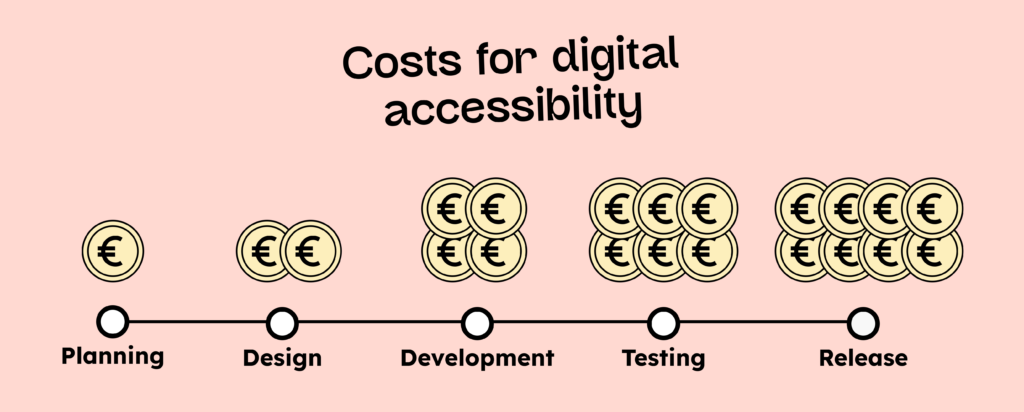
The more the design team considers these questions from the outset, the easier it will be to implement accessibility during development (German). Generally speaking, the earlier you start integrating digital accessibility into your processes, the more costs you’ll save. Ideally, this should begin with the website planning phase, not just the design. Here’s a more detailed article on planning for accessibility and the product manager’s role: Expand your Definition of Done (German).
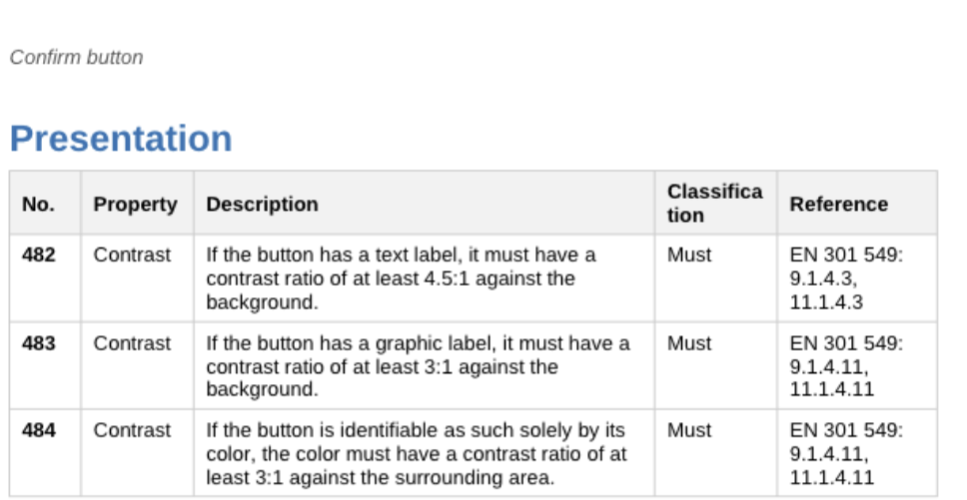
My tip for everyone who isn’t doing it yet: Start thinking component-based. In design, this means creating your elements, like buttons, as individual components. Once you’ve designed a button to be accessible and created it as a component, it will be accessible everywhere (as long as you consistently use the same components in both design and development).
A very helpful document for this approach is the federal government’s guide to the accessible design of user interface elements (German). It contains a list of the most common user interface elements and a checklist outlining what to consider when designing and implementing them in an accessible way. This document can greatly simplify the planning and creation of accessible interfaces – even if it’s missing a few illustrative images… which we’d gladly provide… wink @Monitoring Agency.
Conclusion: Your path to an accessible online shop
To prepare you and your shop for the Accessibility Strengthening Act, we recommend the following procedure:
- Make sure you understand what you need and want to do to make your online shop accessible (we recommend everything, of course).
- Train your team with our accessibility training courses (German) and our digital accessibility workshops.
- Implement accessibility
- Test yourself (German) or get tested
- Be happy with your legal security and new customers!