
WCAG 1.4.13: Content on Hover
Back to all WCAG criteriaOVERVIEW
Effort:
- Complexity:Difficult
- Duration:Slow
Important for:
Development
To WCAG:
1.4.13 Content on Hover or FocusWhat's it about?
When elements appear on hover or when receiving keyboard focus, they must meet all three of the following requirements:
-
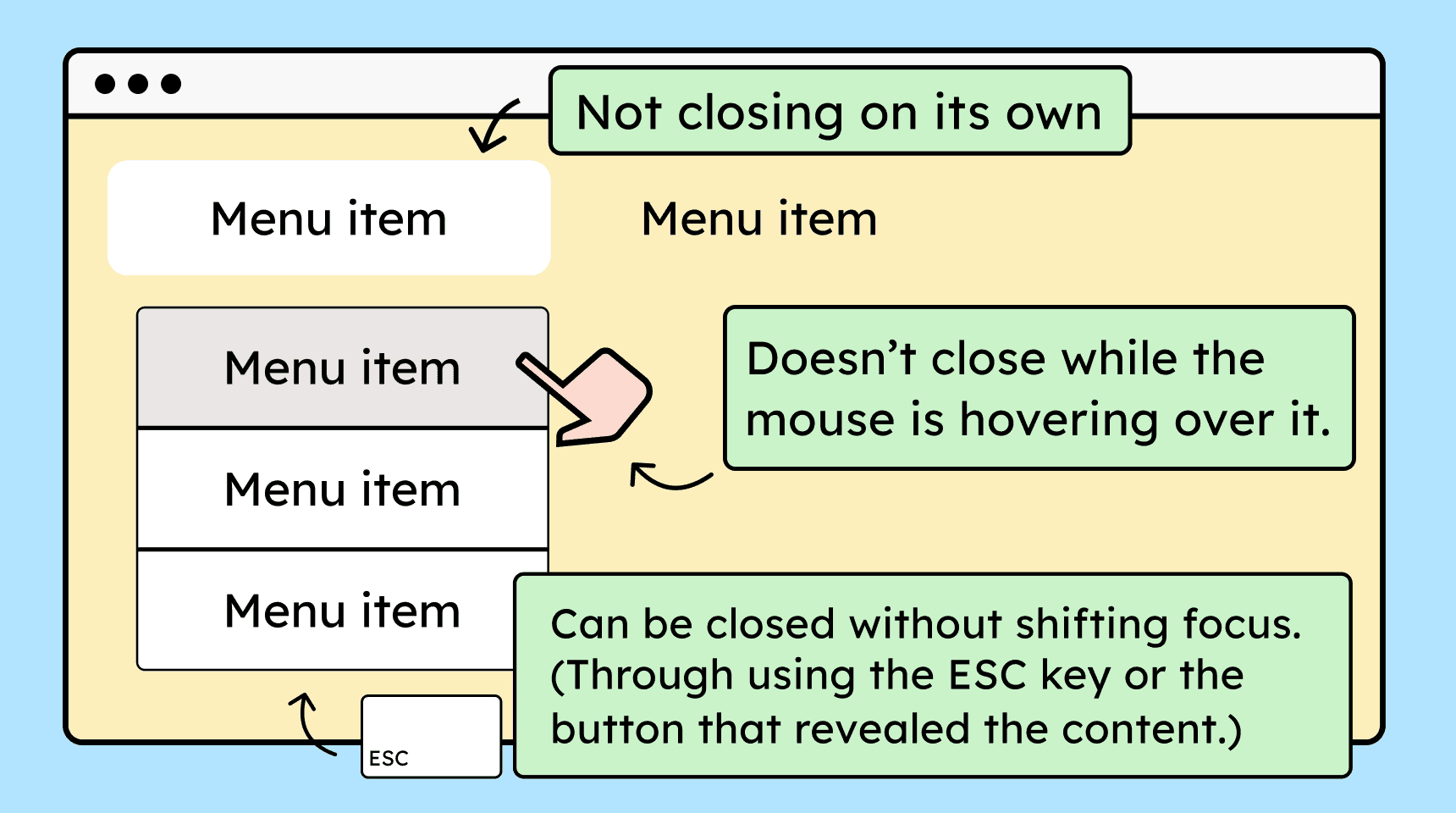
They must be closable: The content must be closable without moving the mouse away from the trigger. Either by pressing Esc, another documented keyboard shortcut, or by activating the trigger again.
-
They must remain operable via hover: You must be able to move the mouse over the revealed content without it disappearing.
-
They must not close automatically: The content must remain visible and must not close on its own after a set time (as long as the mouse or focus is not moved away).
How to
Depending on your situation, you can implement one of the following options to meet the criterion. For a deeper dive, please refer to the linked WCAG techniques.
Make displayed content closable, hoverable, and without time limits
Make sure that displayed elements meet the three requirements above. Using a submenu that appears on hover as an example, this could look like the following:
-
The submenu can be closed without moving the mouse away. This can happen by clicking the parent menu, pressing the ESC key, or using another documented keyboard shortcut. However, this is only necessary if the submenu does not overlap other important content (text, the parent menu, etc.).
-
You can move the mouse pointer over the displayed submenu without it closing.
-
The submenu does not close on its own as long as the mouse is positioned over it.
The same applies when the submenu is displayed via keyboard focus or activation.

-

Accessible development?
Our workshop for developers!
Learn everything you need to know in our workshop to build accessible websites!

Learn accessibility with us?
Looking to implement WCAG best practices in your design, development, or content workflow? Book a workshop for your team or contact us directly to learn more.