
WCAG 1.3.4: Orientation
Back to all WCAG criteriaOVERVIEW
What's it about?
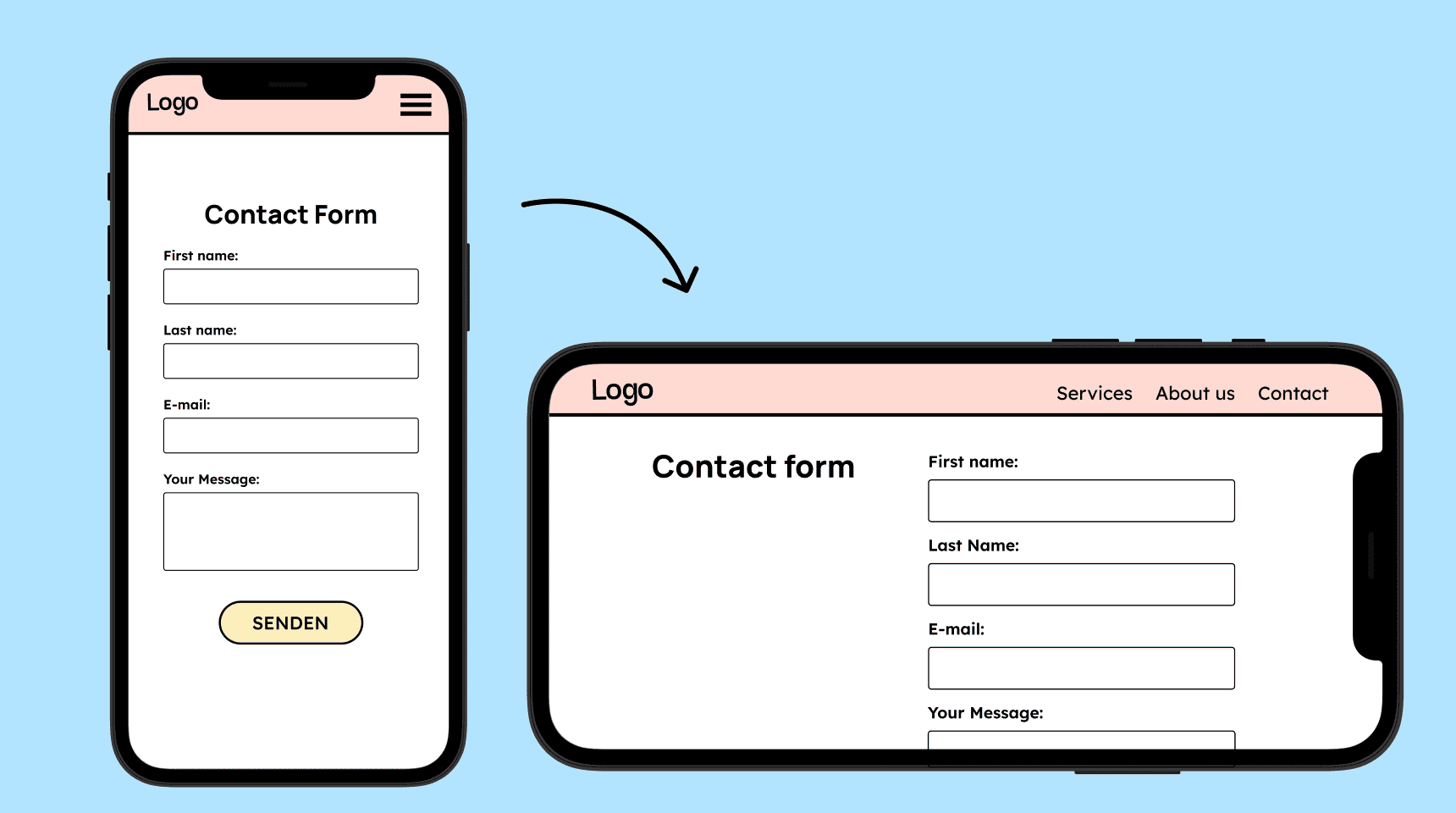
A website should work in both portrait and landscape orientation.
How to
Depending on your situation, you can implement one of the following options to meet the criterion. For a deeper dive, please refer to the linked WCAG techniques.
Make the layout responsive
A website must be usable in both portrait and landscape modes. The device should be able to be rotated without content being cut off or parts of the page becoming unusable.
If the orientation is fixed, there must be an accessible way to unlock it, such as through a button.


Notes
Exception: Orientation is essential for functionality
An exception exists for applications where orientation is crucial for functionality. This is the case when content can only be meaningfully interacted with in a specific orientation.
Examples:
-
A piano app that requires the device to be in landscape mode to provide enough space for the piano keys to be played.
-
A banking app that requires a transfer to be scanned, which only works in landscape mode.
-

Create accessible designs?
Our workshop for designers!
Learn everything you need to know as a designer to create accessible design systems for digital products and entire brands.
Learn accessibility with us?
Looking to implement WCAG best practices in your design, development, or content workflow? Book a workshop for your team or contact us directly to learn more.